

My Documents stores staff certificates and paperwork, like food hygiene certificates and right to work documents, so you can check what's on file and what's due to expire.
Steps
-
Go to Manage > Suppliers & Contacts > Documents.
-
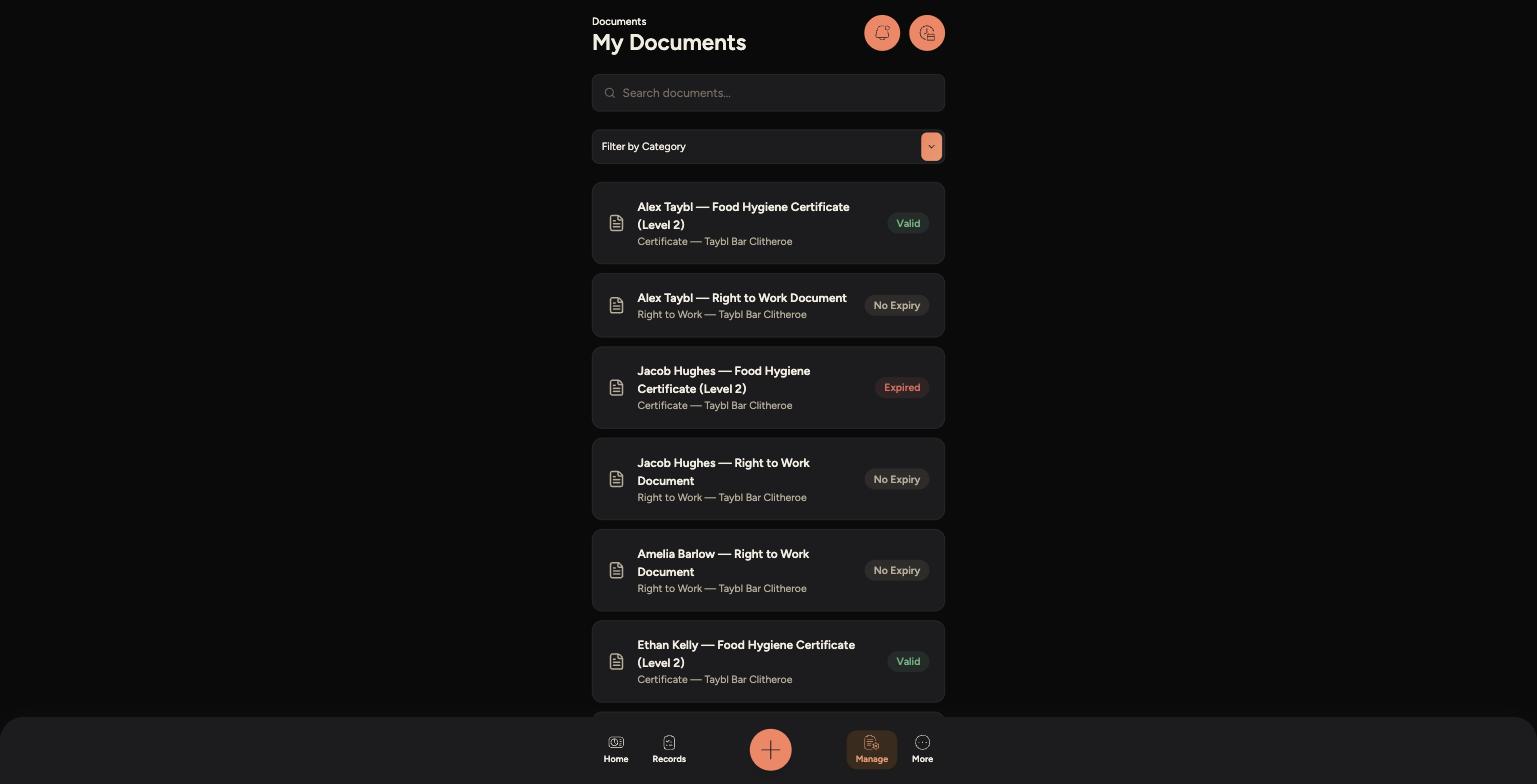
Use the search bar, or Filter by Category, to find a specific document or type.
-
Each document shows who it belongs to, its type and venue, and its status — Valid, Expired or No Expiry.
-
Tap a document to open it and view the full file.
My Documents, showing Valid, Expired and No Expiry statuses
Tips
If your own certificate shows as Expired, let a manager know so a renewal can be arranged — you may not be able to work certain sections until it's updated.
Documents marked No Expiry, like Right to Work checks, don't need renewing but should still be kept accurate.
New documents and certificates are uploaded from the Admin Panel — speak to a manager if something is missing.