

Recipe Card Variations let you build a reusable set of options, like a choice of sauce, once and attach it to any dish instead of typing it out every time.
Steps
-
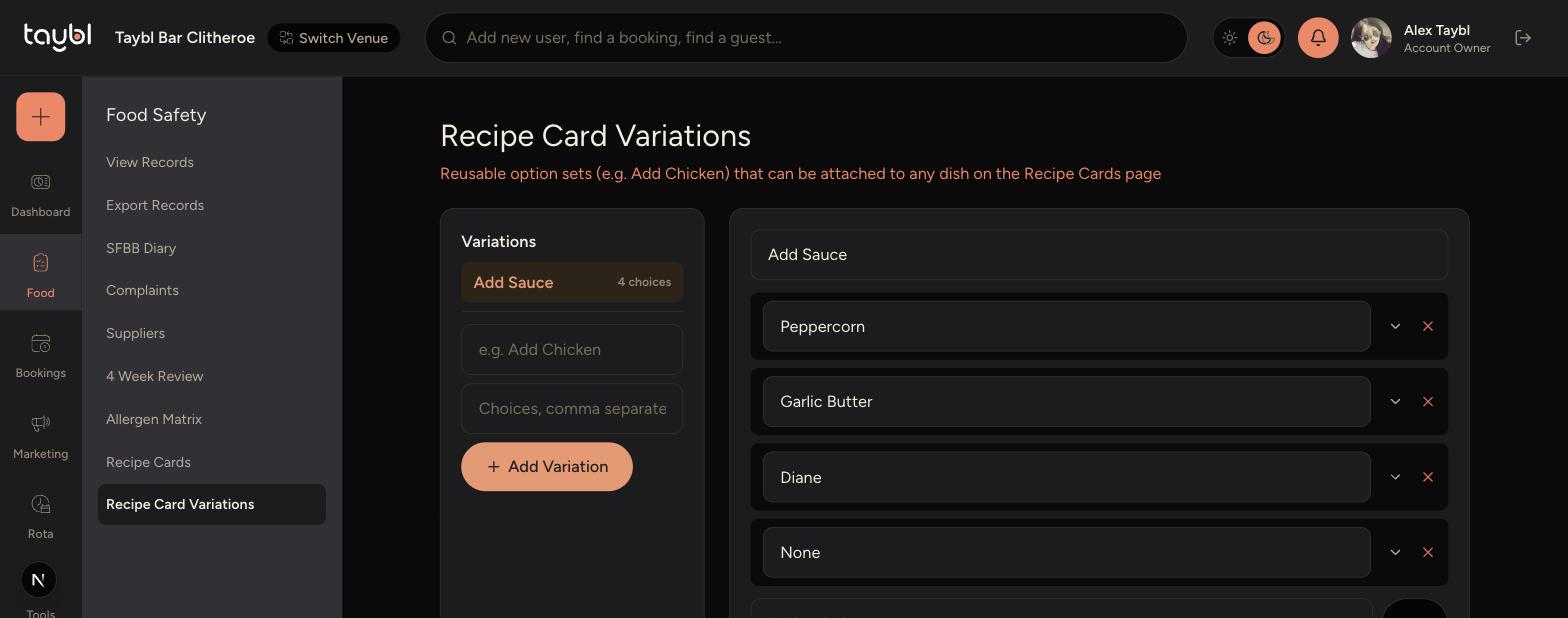
Go to Food Safety > Recipe Card Variations in the sidebar.
-
Type a name for the variation, like "Add Sauce".
-
Enter the choices separated by commas, like "Peppercorn, Garlic Butter, Diane, None".
-
Tap Add Variation to save it.
-
-
Select the variation from the list to edit its choices at any time.
-
On a Recipe Card, attach the variation under Dish Options instead of adding the same choices again.
Tips
Put "None" as one of the choices if a variation is optional, so staff can select it when nothing extra is added.
Editing a variation's choices updates it everywhere it's attached, so double-check before removing a choice that's in use.
Use variations for choices shared across dishes, and Dish-Specific Options on the Recipe Card itself for one-off choices.