

Close the venue or restrict specific booking types for a date range, for bank holidays, private events or maintenance days.
Steps
-
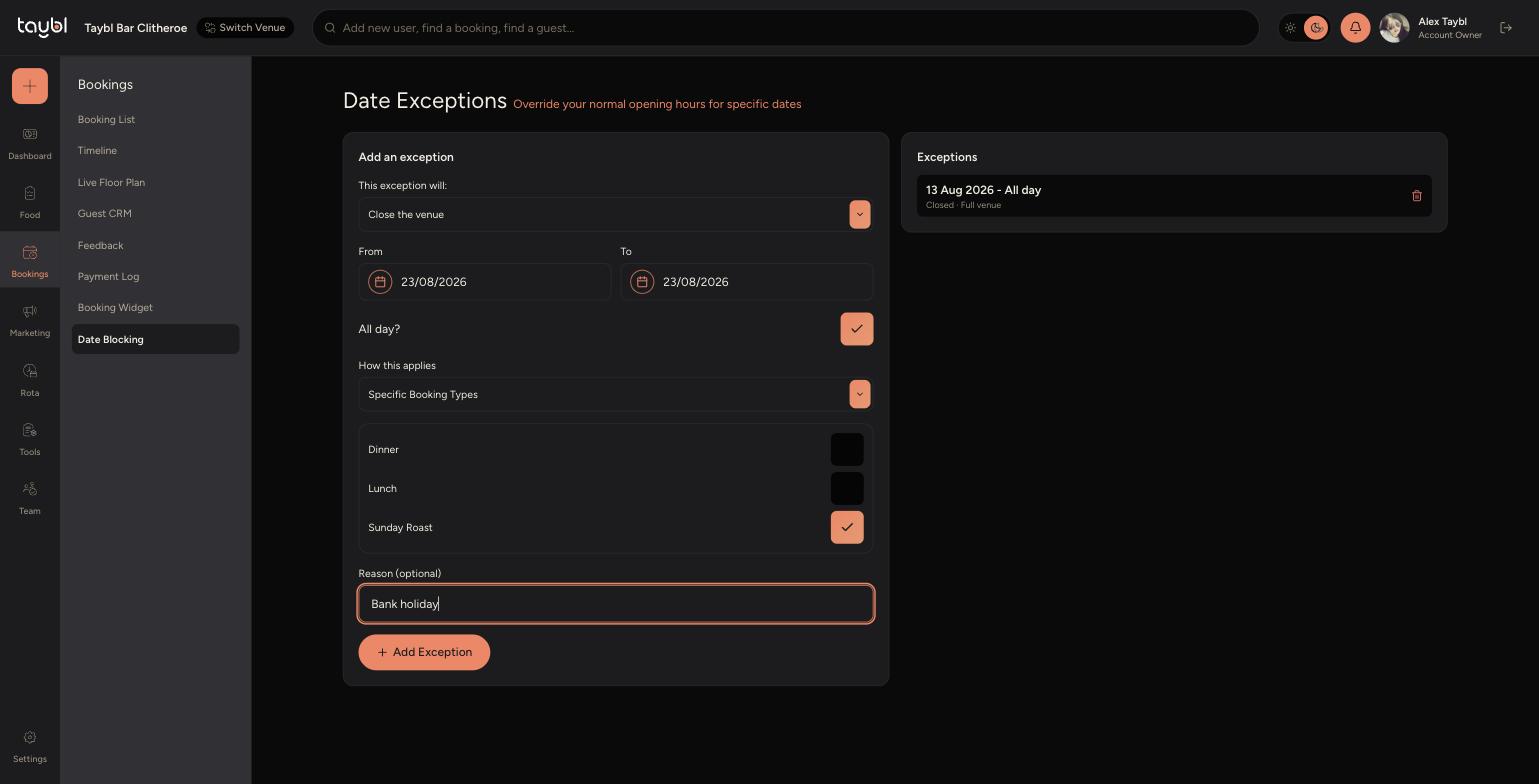
Go to Bookings, then "Date Blocking" to see and add date exceptions.
-
Choose whether the exception will "Close the venue" or "Open the venue" for that period.
-
Set a From and To date, and turn off "All day?" if you only need to block specific hours.
-
-
Set "How this applies" to "Full Venue" to block everything, or "Specific Booking Types" to only block certain booking types (as shown above) while others stay open.
-
Add an optional Reason, such as "Bank holiday" or "Private event", then click "Add Exception".
-
Existing exceptions are listed under "Exceptions" on the right, and can be removed at any time using the bin icon.