

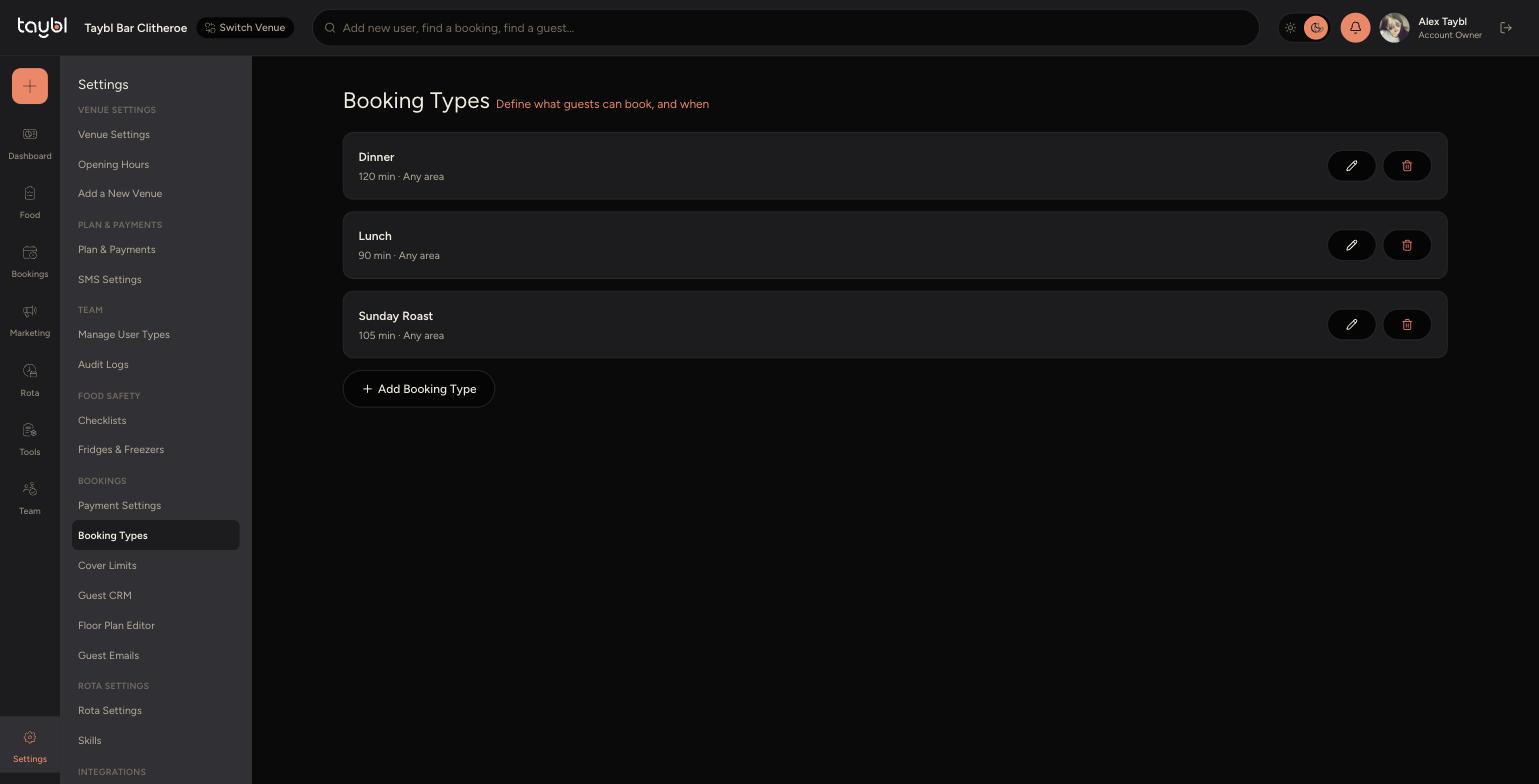
Booking types let you offer different experiences - like Dinner, Lunch or Sunday Roast - each with its own duration, area and available hours.
Steps
-
Go to Settings, then "Booking Types" to see your existing types and add new ones.
-
-
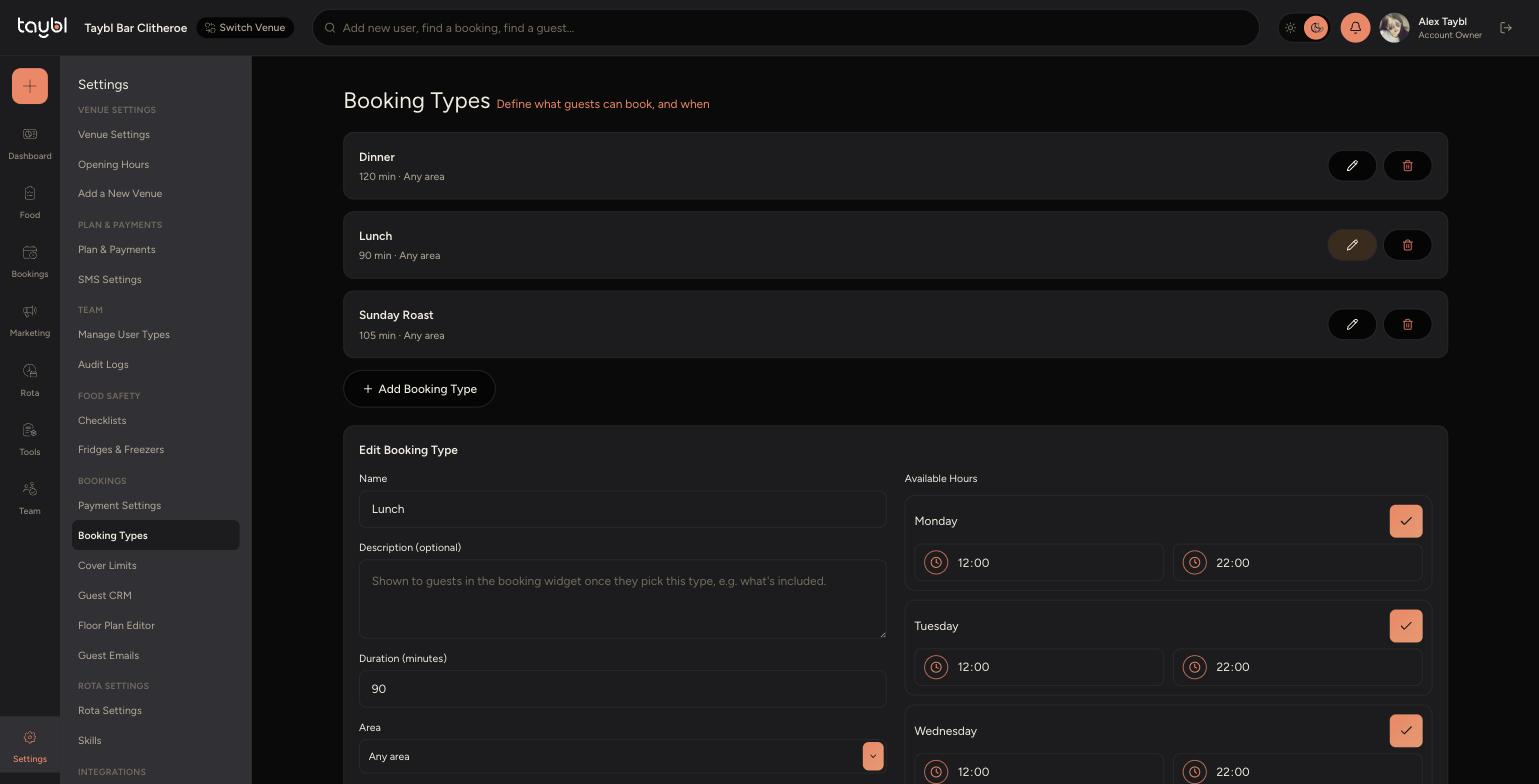
Click "Add Booking Type", or the pencil icon on an existing one, to open the editor.
-
Set a Name and optional Description - the description is shown to guests in the booking widget once they pick this type.
-
Set the Duration in minutes and choose which Area the booking type uses.
-
Turn a day off entirely if the booking type isn't offered on that day - guests won't see it as an option then.
-
Use the bin icon on the booking types list to delete a type you no longer need.