

Move a booking to a different table straight from the Guestlist.
Steps
-
Go to Guestlist and find the booking you want to move.
-
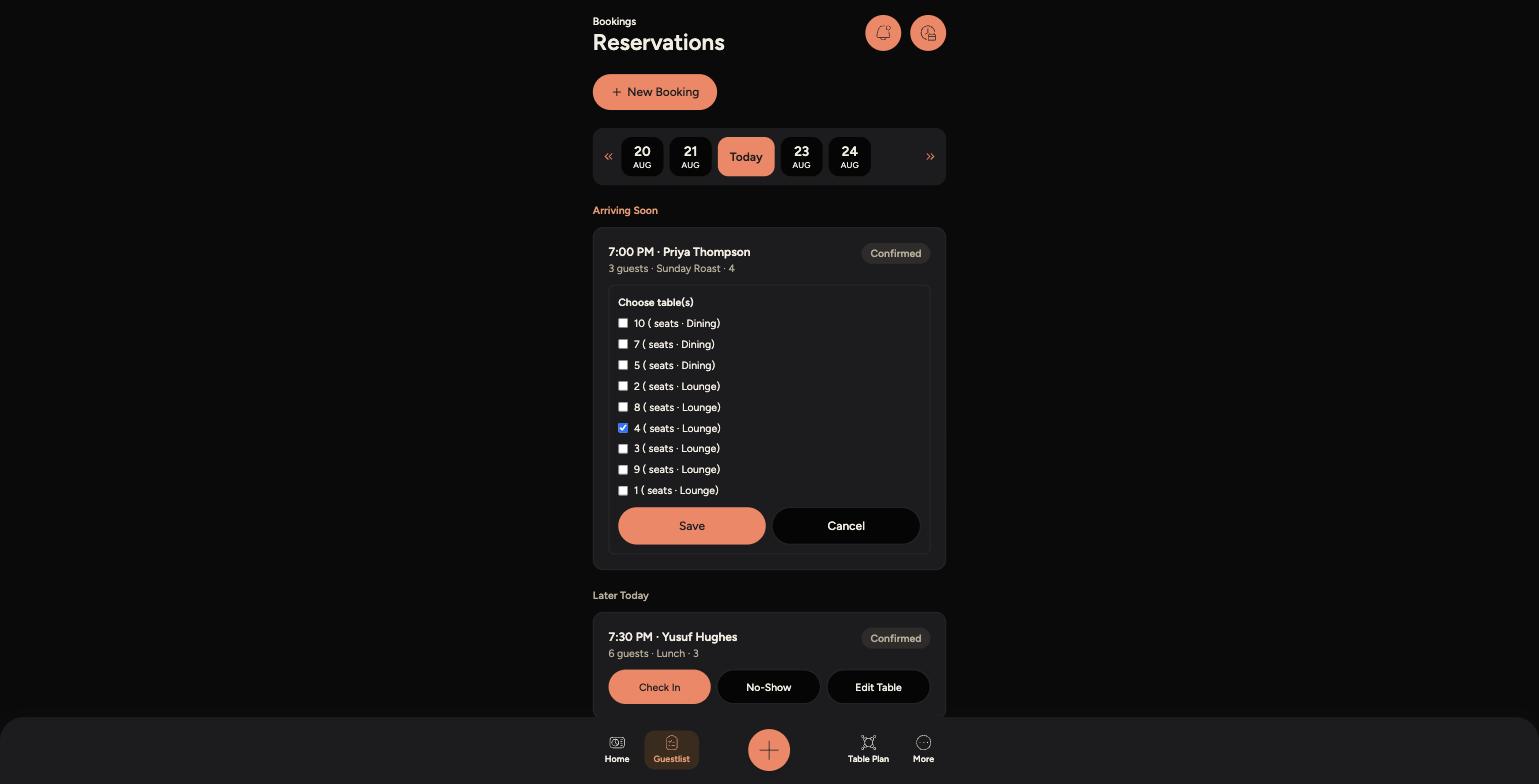
Tap "Edit Table" on that booking.
-
A list of tables opens under "Choose table(s)", with the guest's current table already ticked. This list only shows tables that can actually take the booking - it's already filtered by things like party size, so every option here is a valid swap.
-
-
Untick the current table and tick the new one (or tick more than one if the booking needs multiple tables).
-
Tap "Save" to confirm the change, or "Cancel" to leave the table as it was.
Tips
If a table doesn't appear on the list, it's usually because it can't take the party - check the size and area rather than assuming it's a bug.
You can tick more than one table if a large party needs to be spread across a couple of tables pushed together.