

Stop too many guests arriving at once, even when individual tables have room, by capping how many covers can be seated within a time window.
Steps
-
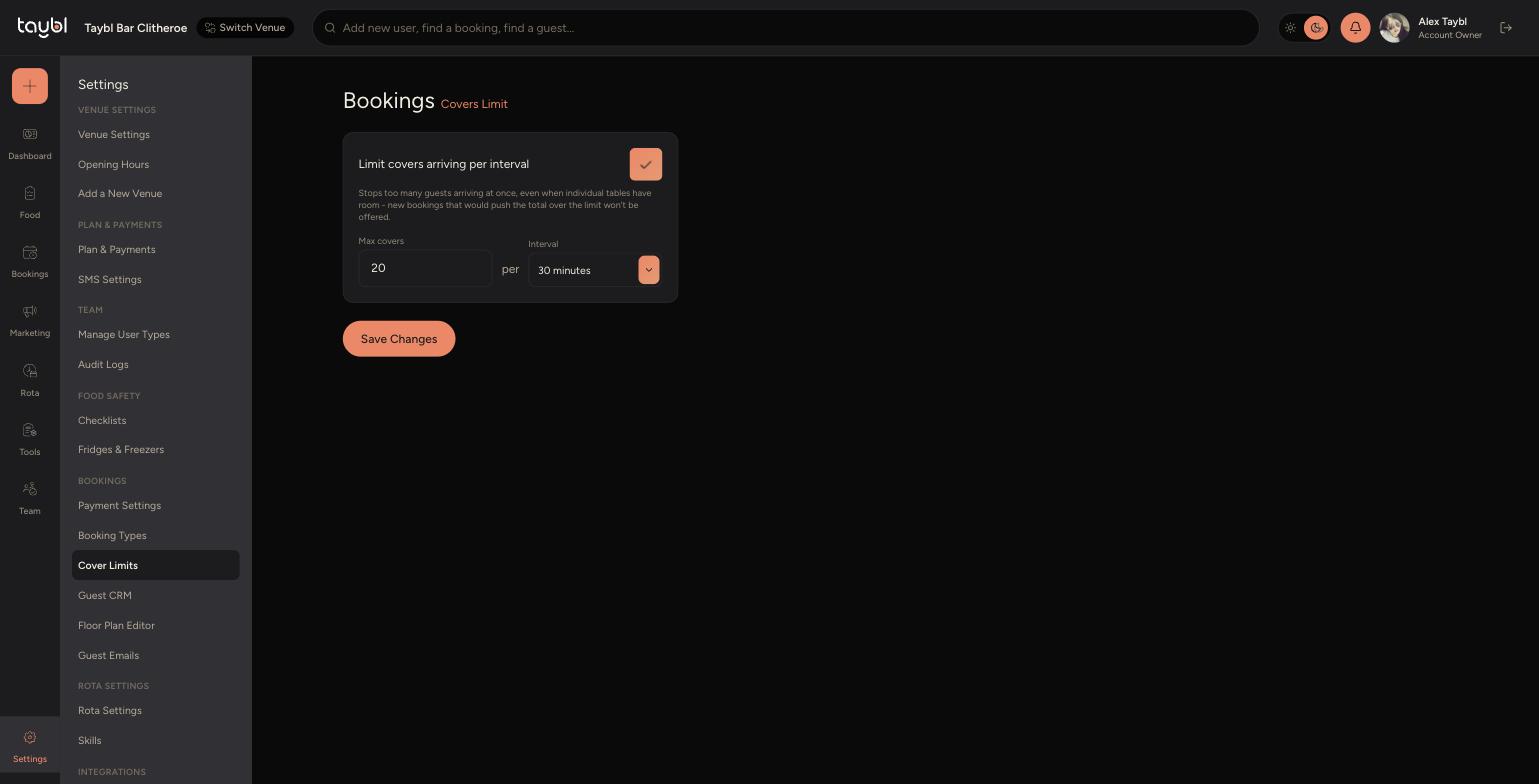
Go to Settings, then "Cover Limits".
-
Turn on "Limit covers arriving per interval".
-
-
Set "Max covers" to the highest number of covers you want seated within the interval, and choose the "Interval" length, e.g. 20 covers per 30 minutes.
-
Click "Save Changes" - once saved, new bookings that would push the total over the limit won't be offered to guests, even if individual tables are still free.