

Use Complaints to record any guest complaint, track its resolution, and keep a note of follow-up actions.
Steps
-
Go to Food Safety > Complaints in the sidebar to see all logged complaints.
-
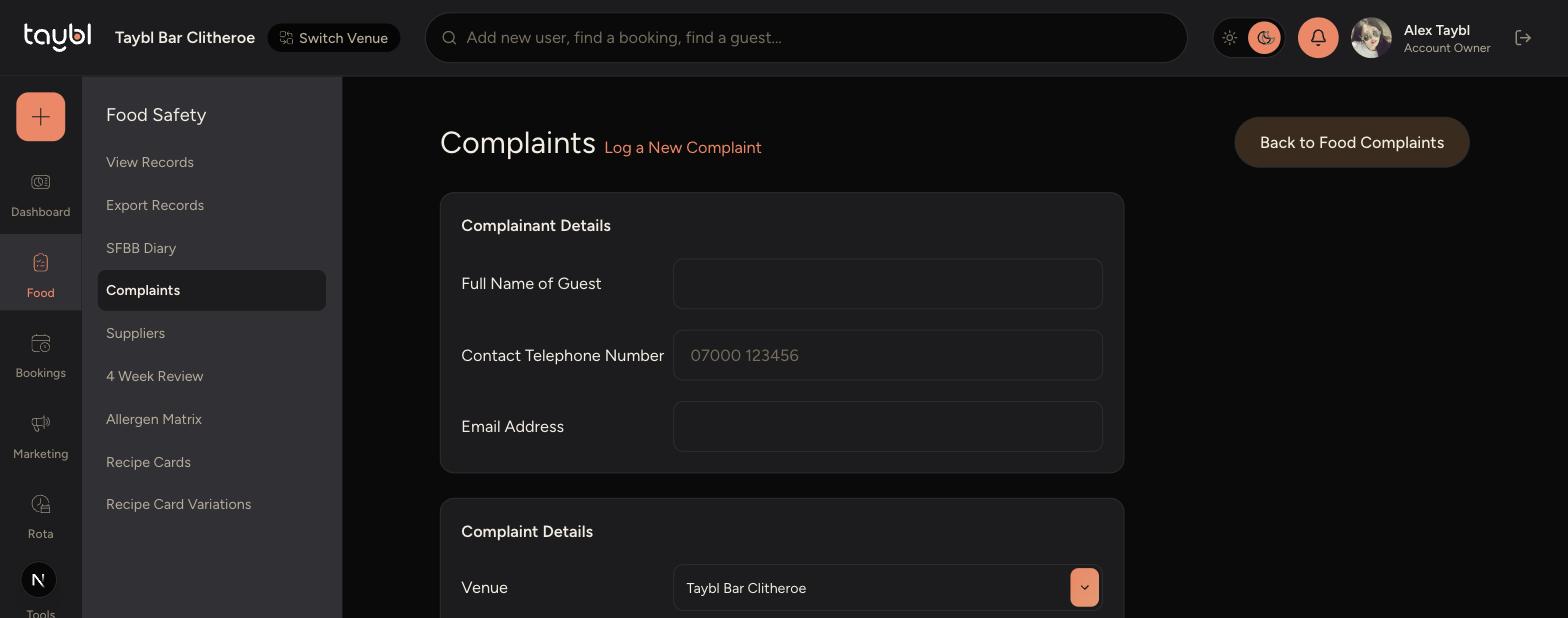
Tap Log New Complaint to record a new one.
-
Fill in the guest's details, the venue, and what happened.
-
-
Record whether it was resolved to the guest's satisfaction and any follow-up needed.
-
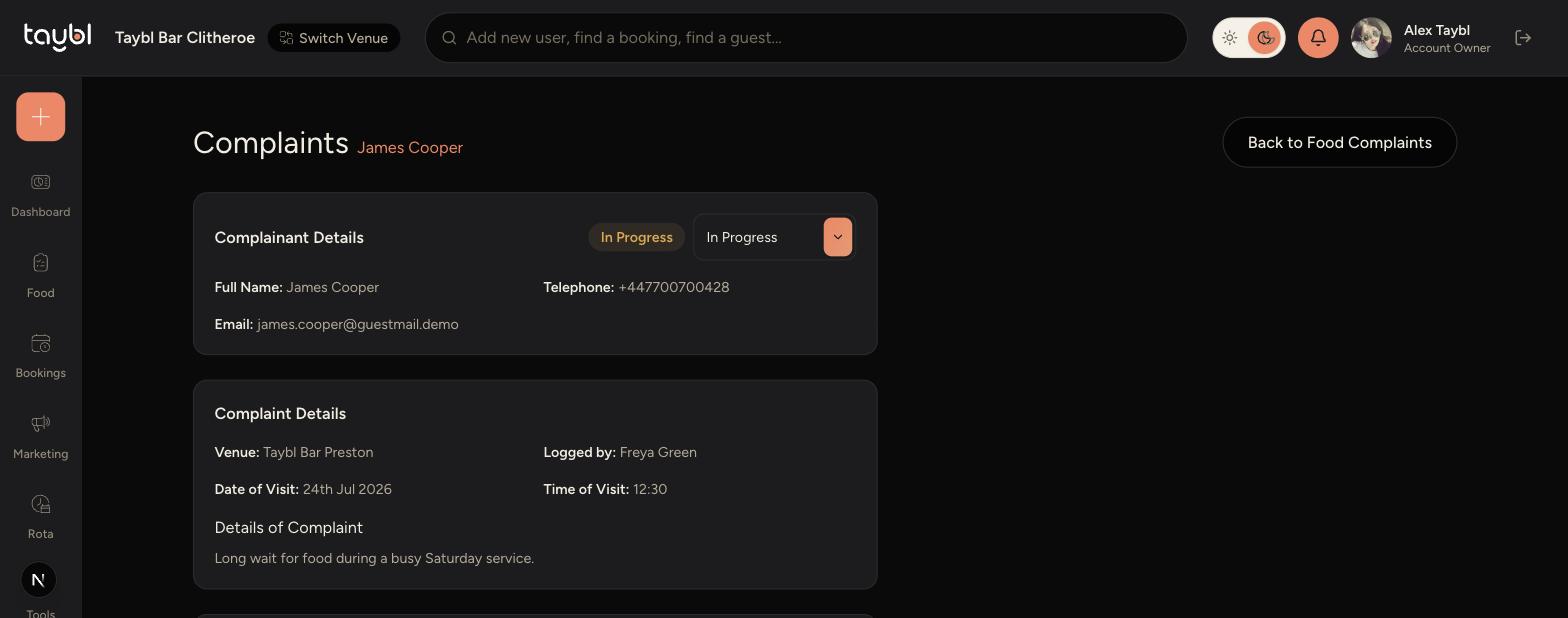
To check on a complaint later, tap it in the list to open its details.
-
Update its status using the dropdown, and add notes as you follow up.
Tips
Log a complaint as soon as possible after it's raised, while the details are still fresh.
Leave a status as "In Progress" until any promised follow-up has actually happened, then mark it Resolved.
Add a note every time you take a follow-up action, so there's a clear record if the guest gets back in touch.