

Request holiday from within the app and keep track of how many days you have left.
Steps
-
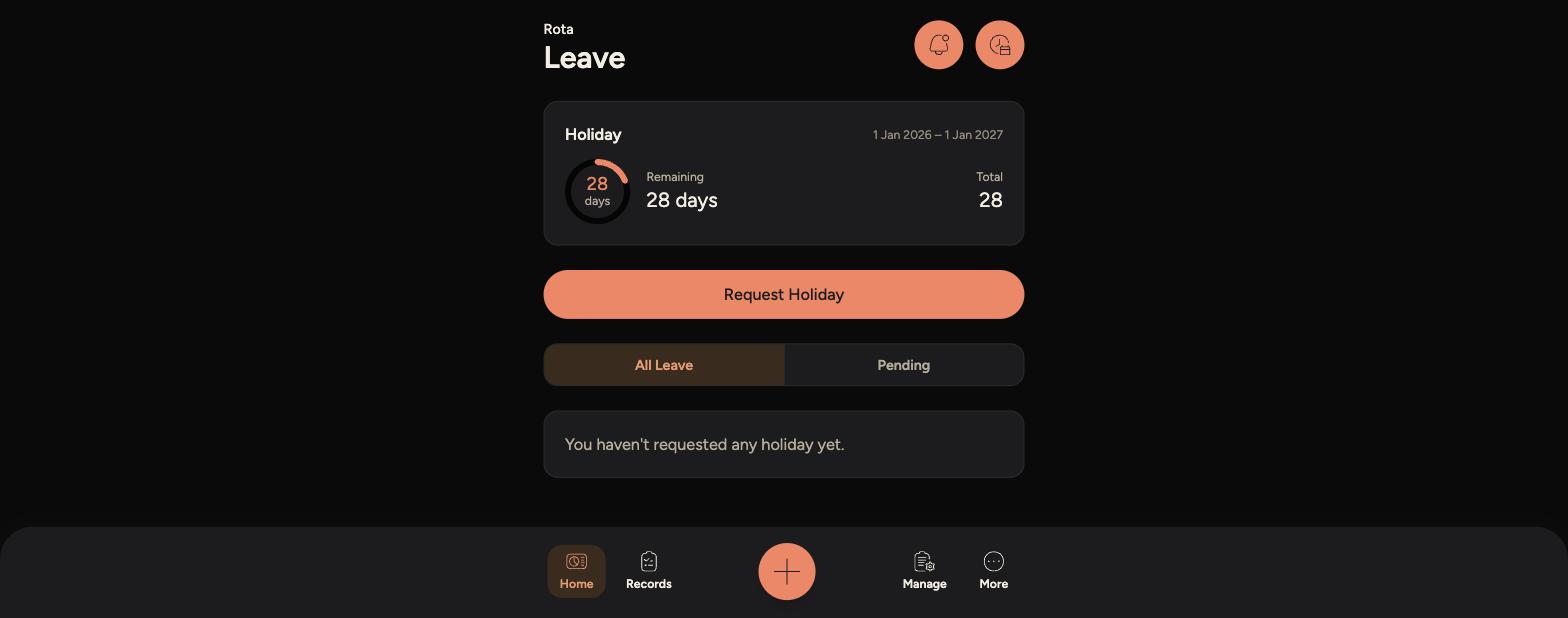
Open the Staff App, tap the Rota icon in the top right corner, then tap "Leave".
-
At the top you'll see your Holiday allowance, showing days remaining out of your total for the year.
-
-
Tap "Request Holiday".
-
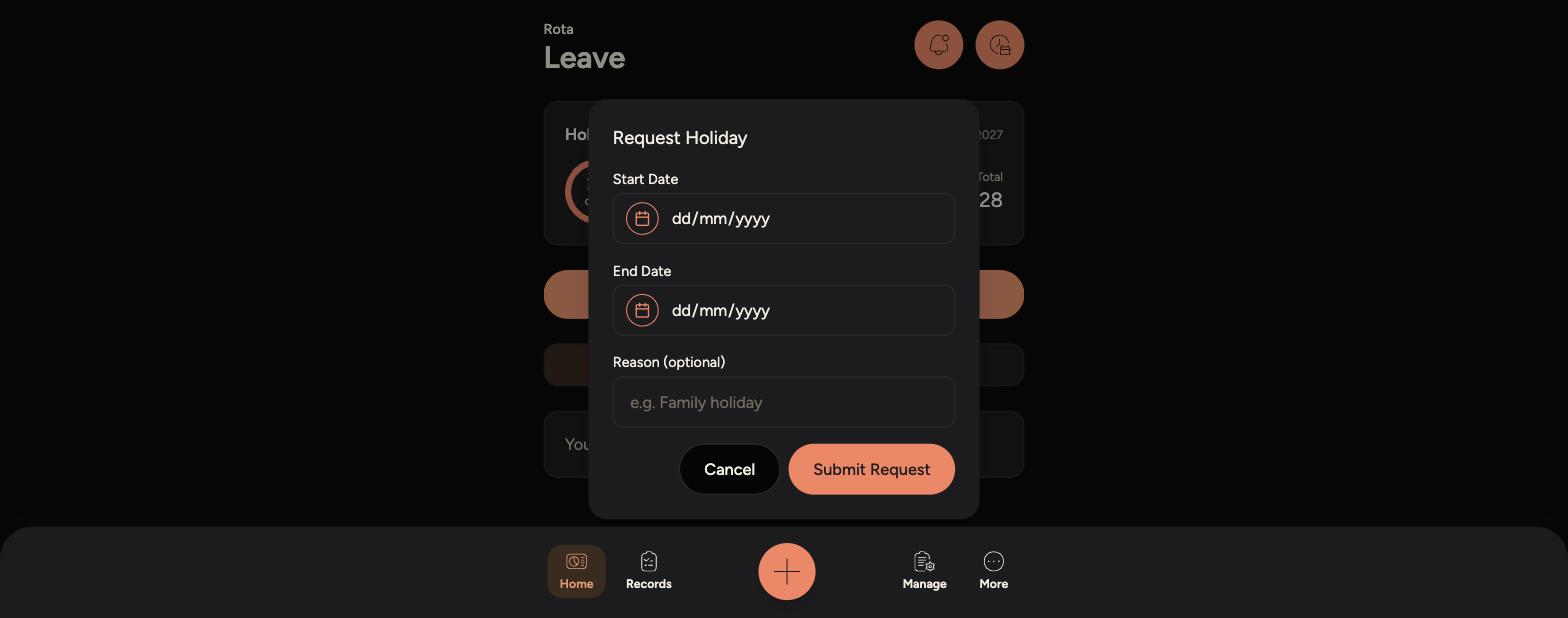
Enter a Start Date and End Date, and optionally add a Reason.
-
-
Tap "Submit Request". Your request will show as Pending until your manager reviews it.
-
Use the "All Leave" and "Pending" tabs below to check the status of your requests.
Tips
Your holiday allowance and dates run 1 Jan to 1 Jan the following year.
If a request is declined, check the "All Leave" tab for your manager's note explaining why.