

Ask each staff member to review and confirm their shifts when you publish a rota, so you know they've seen it.
Steps
-
Go to Settings, then "Rota Settings" under the ROTA SETTINGS section.
-
Switch on "Request Shift Acknowledgement".
-
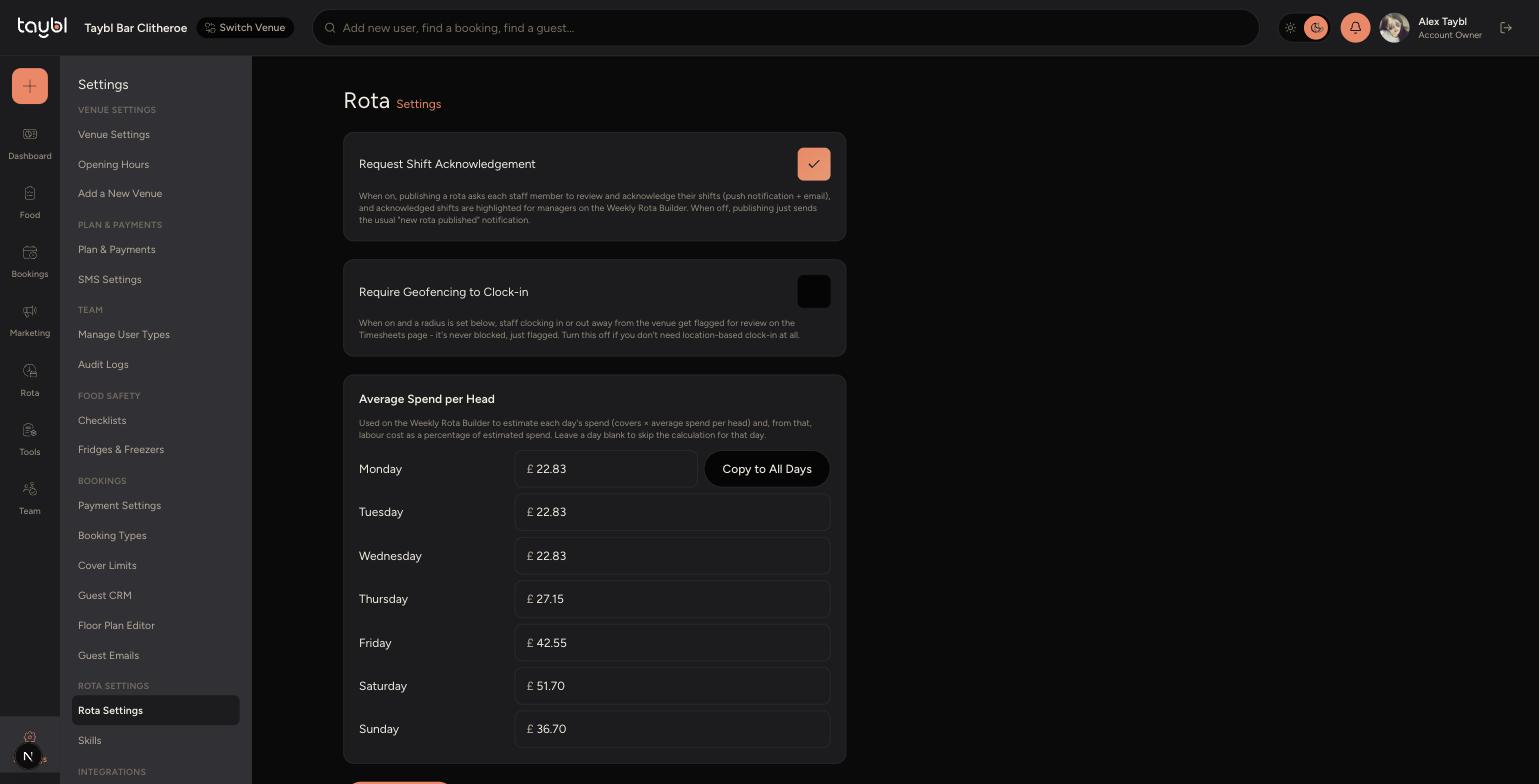
-
Save your changes.
-
From now on, whenever you publish a rota, each staff member gets a push notification and email asking them to review and acknowledge their shifts.
-
On the Weekly Rota Builder, shifts that have been acknowledged are highlighted, so you can see at a glance who's confirmed their shift and who hasn't.
Tips
This doesn't stop staff from working an unacknowledged shift - it's a way to confirm they've seen and reviewed their rota, not a hard requirement to clock in.
If you switch this off, publishing a rota still notifies staff as normal - they just won't be asked to acknowledge it, and the Weekly Rota Builder won't show acknowledgement status.
Use the highlighted shifts on the Weekly Rota Builder as a quick way to chase up anyone who hasn't confirmed a shift close to the start of the week.