

Ask a guest to choose their food ahead of their visit, from either the Timeline or the Live Floor Plan.
Steps
-
Open the booking from either the Timeline or the Live Floor Plan by clicking on it.
-
In the details panel, switch to the "Pre-order" tab.
-
If no pre-order has been requested yet, tap "Request Pre-order".
-
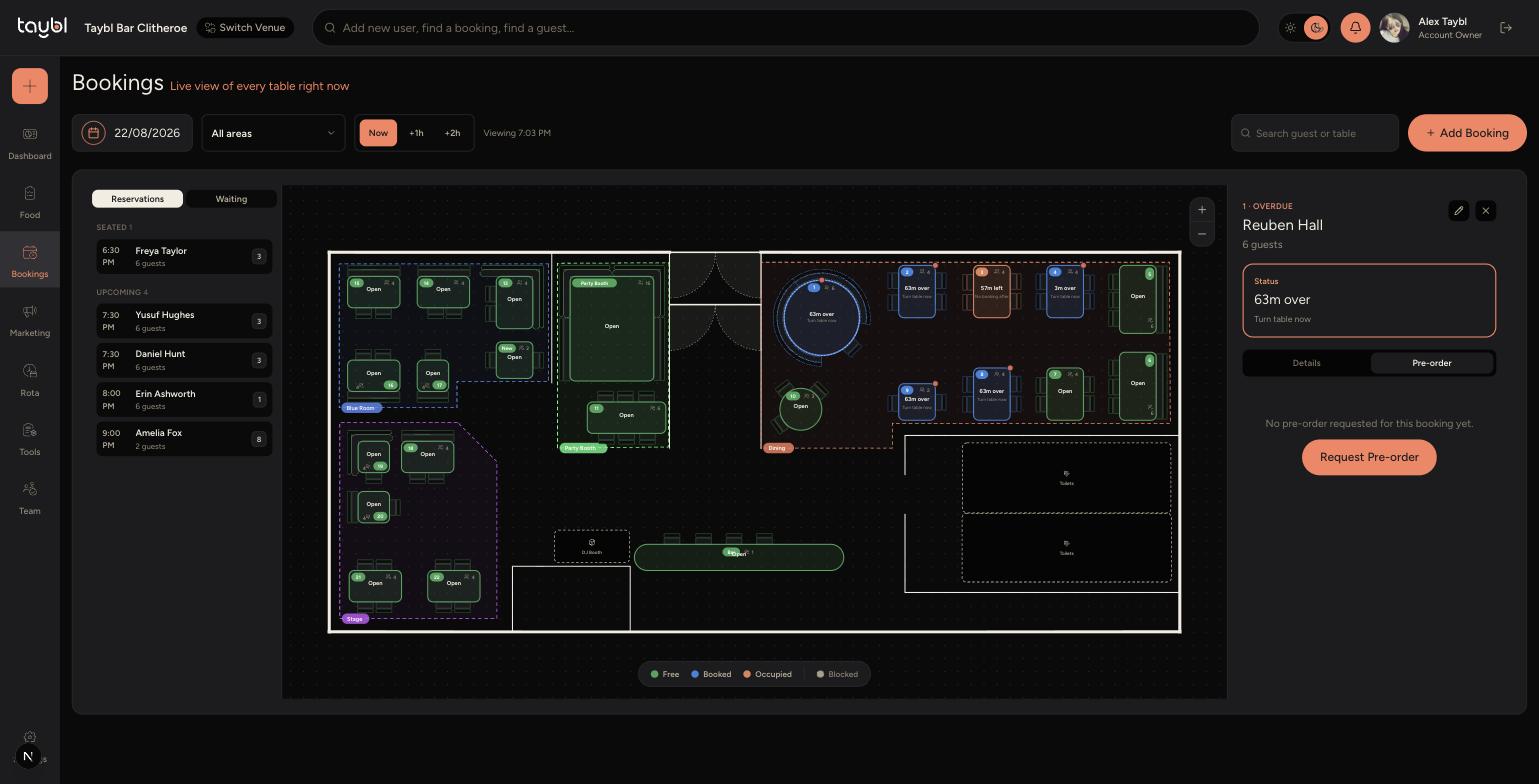
-
Choose which pre-order menu to send - see the article on the Menu Builder for how to create these menus.
-
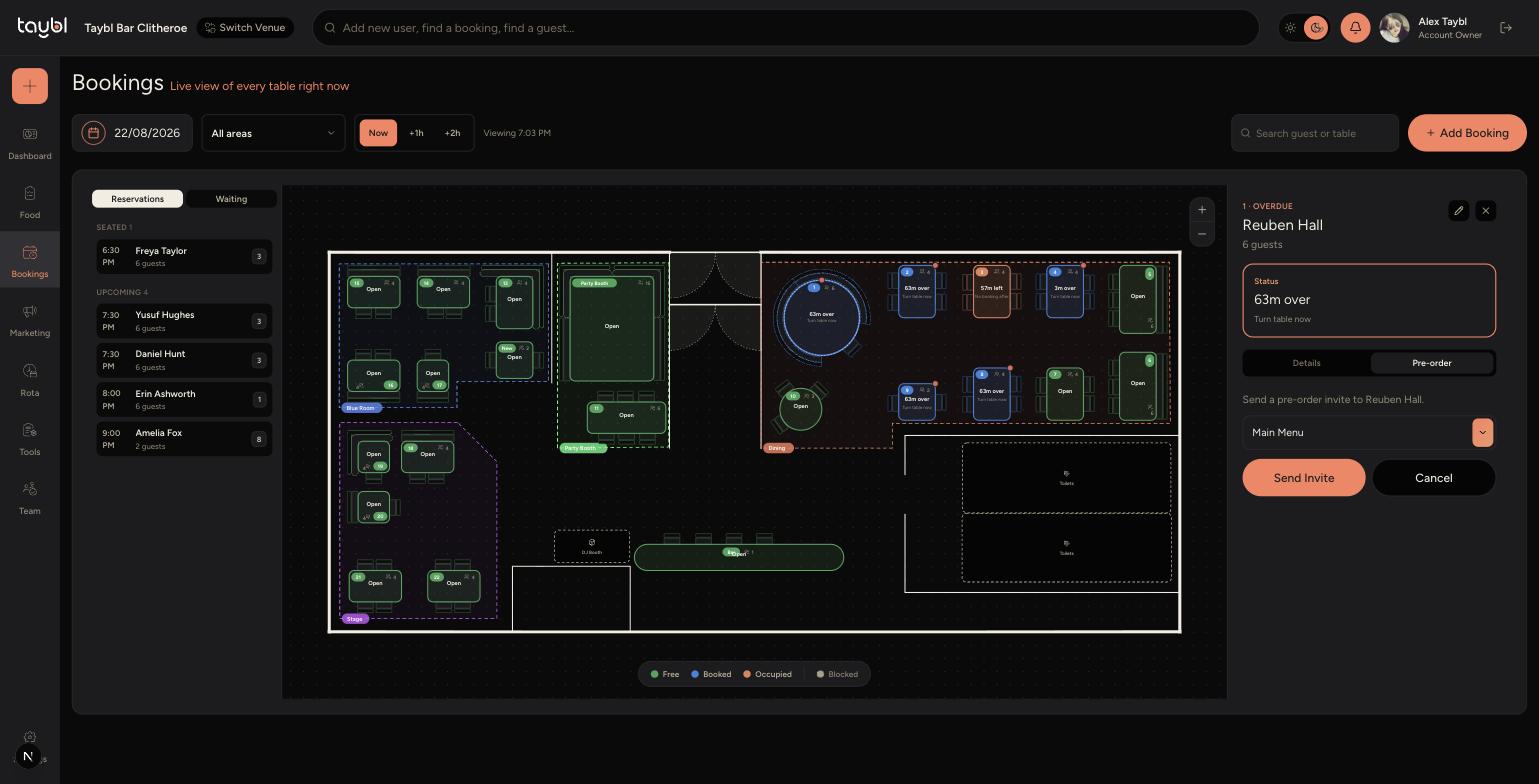
-
Tap "Send Invite" to email the guest a link to choose their food, or "Cancel" to back out without sending anything.
-
To check what a guest has chosen, open the same booking and go to its Pre-order tab again - their selections are shown there once submitted.
Tips
A pre-order can only be requested if the booking has a guest email on file - if you see a message saying it can't be requested, add an email to the booking first.
Send the invite a few days before the booking to give guests time to respond, rather than on the day itself.
Set up your pre-order menus in the Menu Builder before you try to send an invite - the menu picker only shows menus that already exist.