

Customise the subject, heading, text and branding of every automated email guests receive - booking confirmations, updates, cancellations, pre-order requests and feedback requests.
Steps
-
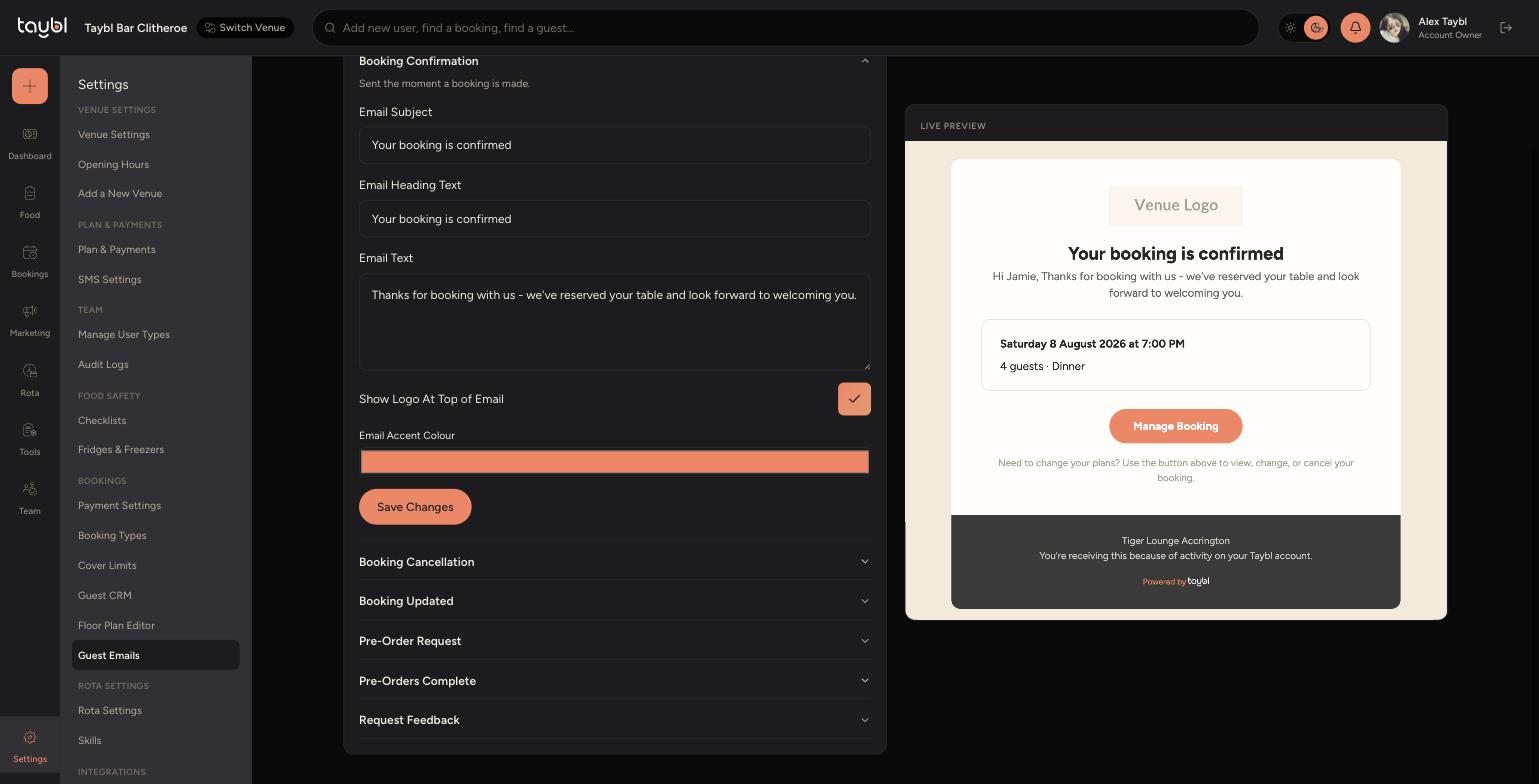
Go to Settings, then "Guest Emails" to see every guest-facing email template: Booking Confirmation, Booking Cancellation, Booking Updated, Pre-Order Request, Pre-Orders Complete and Request Feedback.
-
-
Click a template to expand it, then edit its "Email Subject", "Email Heading Text" and "Email Text" - the "Live Preview" on the right updates as you type.
-
Toggle "Show Logo At Top of Email" and set an "Email Accent Colour" to match your branding, then click "Save Changes" for that template.