

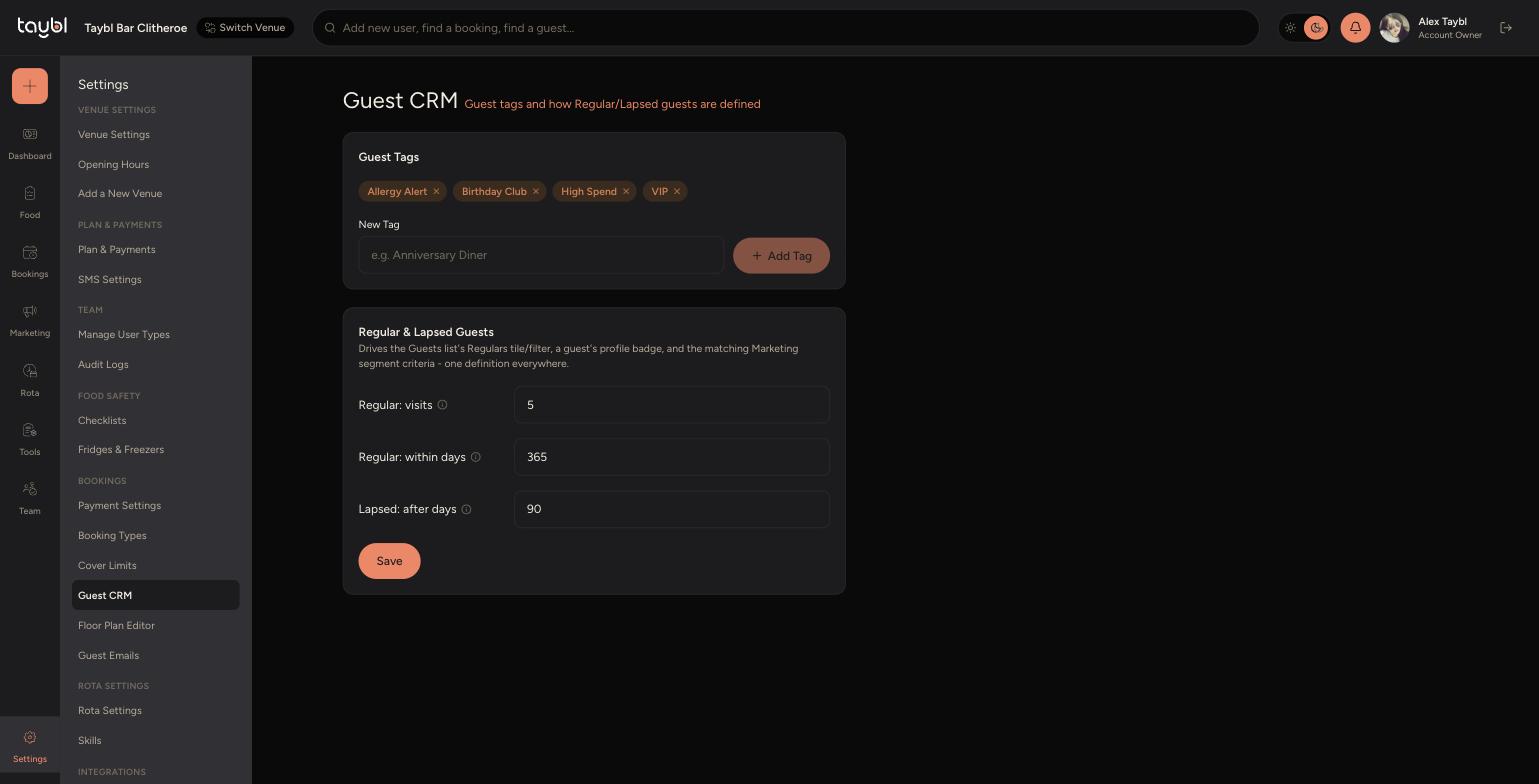
Create tags to flag notable guests, and set how many visits (and over what period) make someone a "Regular", plus how long since their last visit makes them "Lapsed".
Steps
-
Go to Settings, then "Guest CRM".
-
-
Under "Guest Tags", type a name (e.g. "Anniversary Diner") into "New Tag" and click "Add Tag" - tags appear on guest profiles and can be used to filter your guest list. Remove one at any time using the x on its chip.
-
Under "Regular & Lapsed Guests", set "Regular: visits" (the number of visits needed) and "Regular: within days" (the window those visits must fall within).
-
Set "Lapsed: after days" - the number of days since a guest's last visit before they're considered lapsed. Click "Save" - this one definition applies everywhere, from the Guests list's Regulars filter to a guest's profile badge and matching Marketing segments.