

Every four weeks, review your Opening, Fridge, Closing and Cooking checks and sign off that your food safety practices are on track.
Steps
-
Go to Food Safety > 4 Week Review in the sidebar.
-
The page shows the dates covered by the next review, due once that period ends.
-
Tap an entry under History to see a past review, or start the current one once it's due.
-
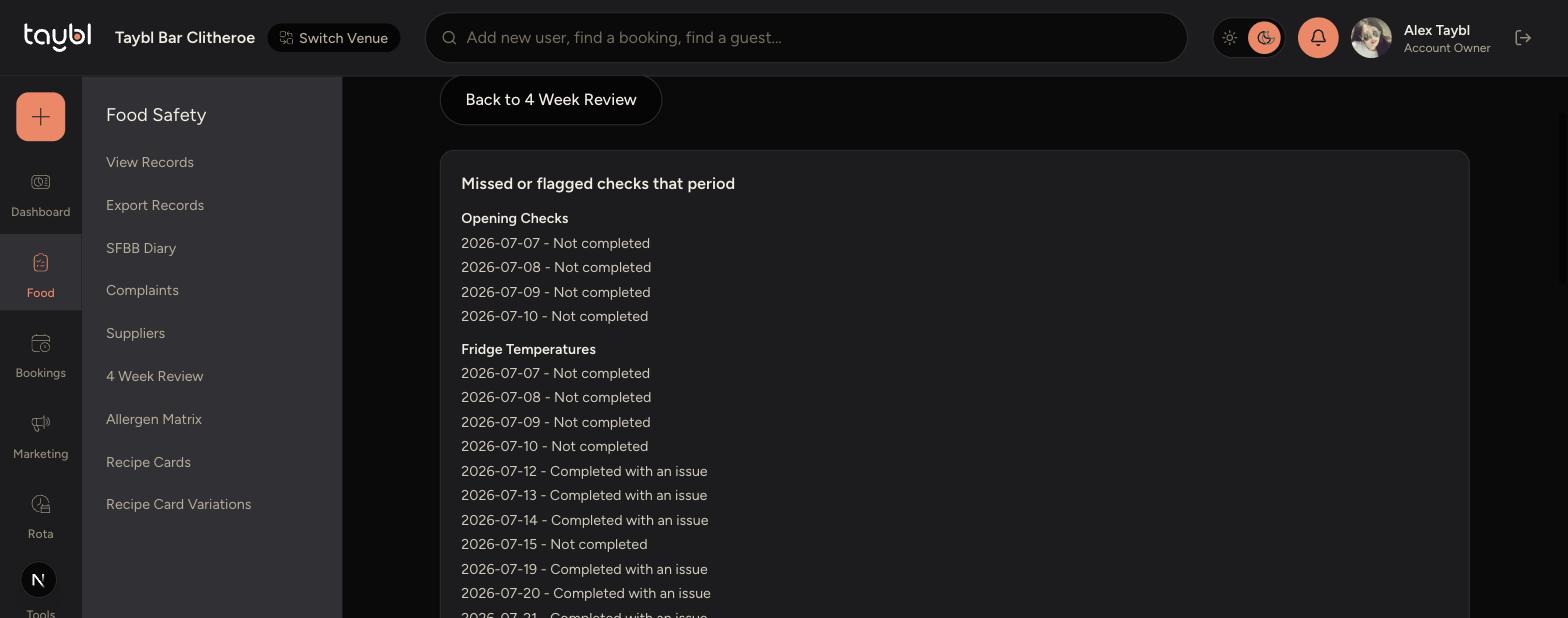
Check the list of missed or flagged checks from that period, broken down by check type.
-
-
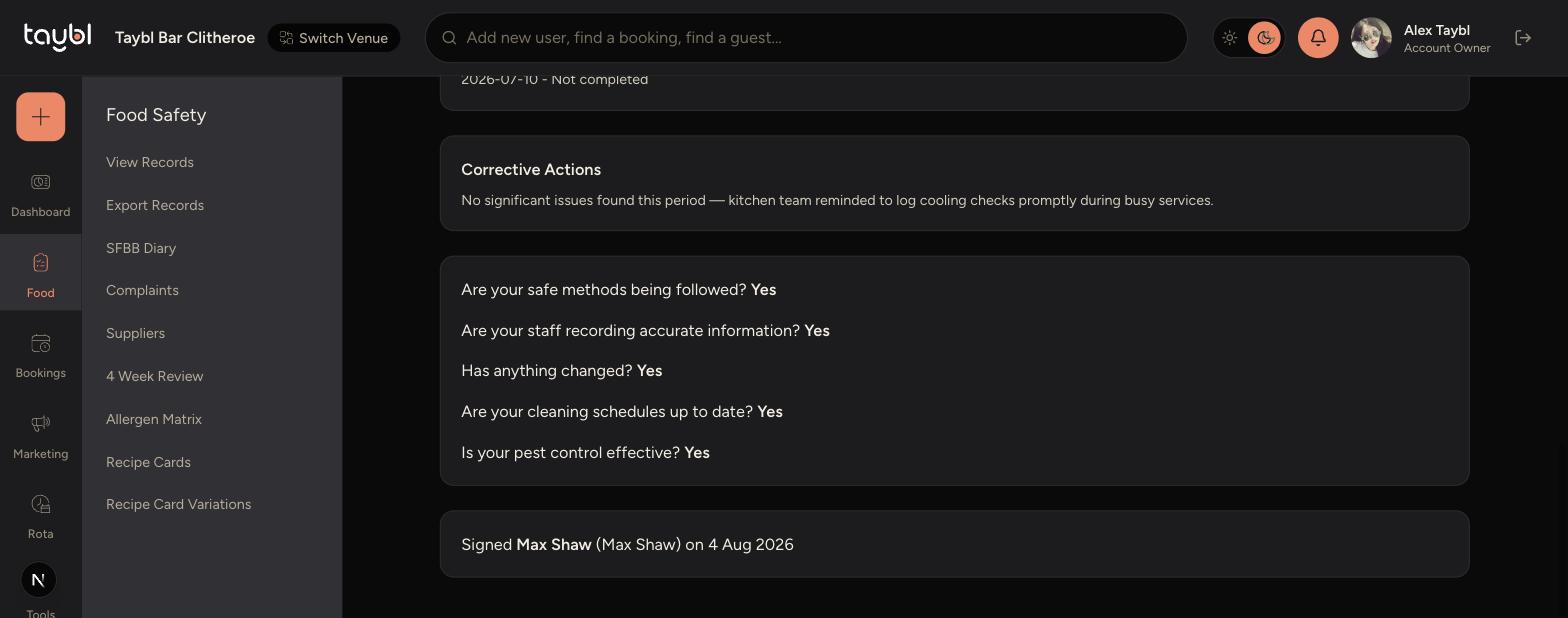
Note any Corrective Actions taken to address issues found.
-
Answer the sign-off questions about safe methods, accurate recording, changes, cleaning schedules and pest control.
-
Sign the review to complete it - your name and the date are recorded automatically.
-
Tips
Use the missed or flagged checks list to spot patterns, like a fridge that keeps getting missed on a particular day of the week.
Be specific in Corrective Actions - "reminded team to log checks promptly" is more useful at inspection than "no issues".
Only answer the sign-off questions once you've genuinely checked - they form part of your compliance record.