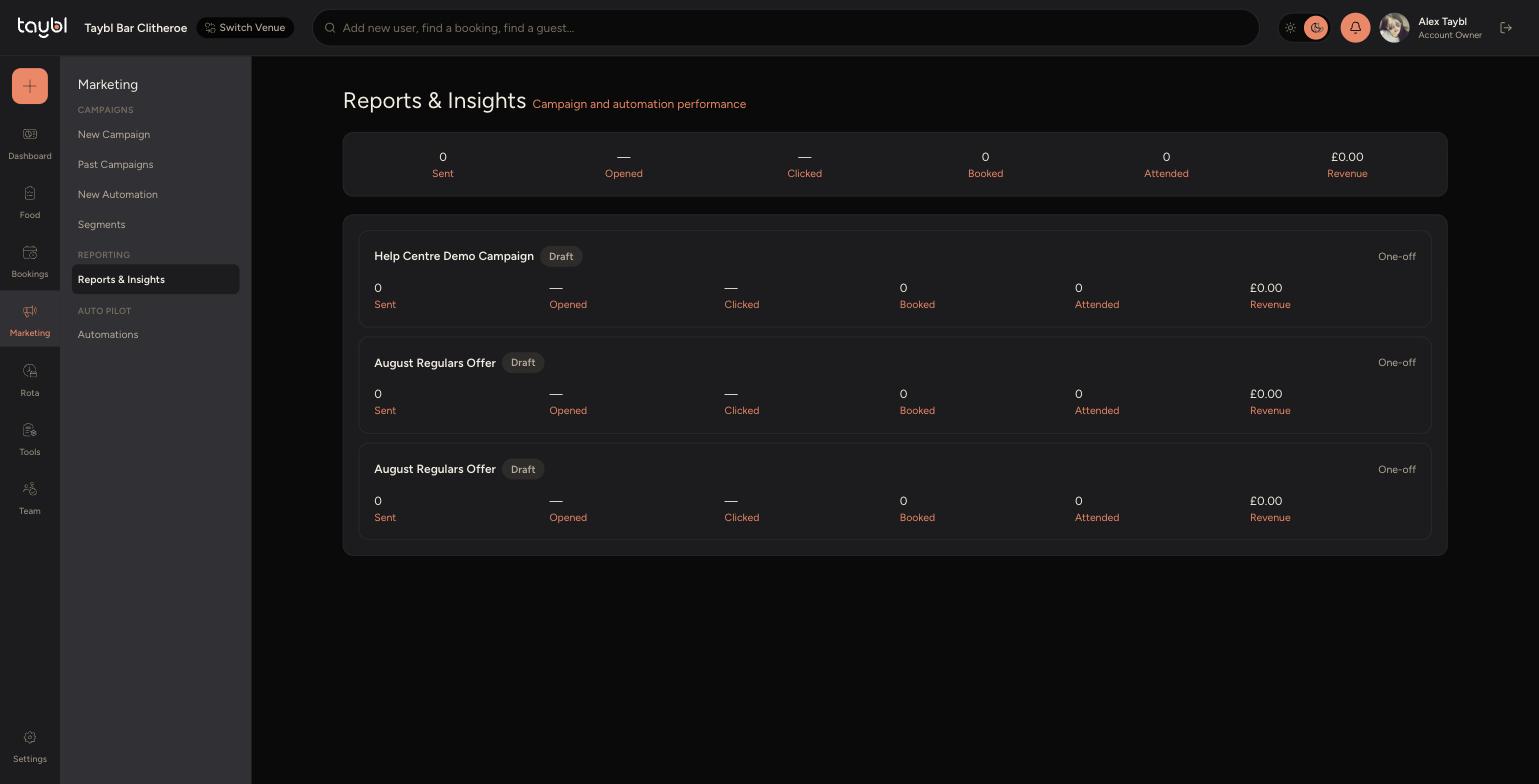
See how your campaigns and automations are performing, all the way from the email being sent through to the guest actually visiting.
The Funnel
Go to Marketing, then "Reports & Insights". Every send is tracked through six stages, so you can see exactly where guests drop off and where a send actually turns into revenue.
-
Sent - how many emails went out.
-
Opened - how many guests opened the email.
-
Clicked - how many guests clicked a link inside it, such as a booking link or offer.
-
Booked - how many of those guests went on to make a booking.
-
Attended - how many of those bookings were actually checked in at the venue, rather than cancelled or a no-show.
-
Revenue - the total spend recorded against those attended visits.
Reading the Report
-
At the top, a summary bar totals the funnel across every campaign and automation you've sent. Below it, each individual campaign or automation gets its own row with the same six numbers, so you can compare which sends actually perform, not just which get opened.
-
Each row is also labelled "One-off" for a Campaign or with its trigger name for an Automation, so you can see which type of send is driving the numbers.