

If something in the venue is broken or needs fixing, log it as a Maintenance Request so it gets tracked and actioned.
Steps
-
Go to Manage > Facilities & Menu > Maintenance, then tap + New Request.
-
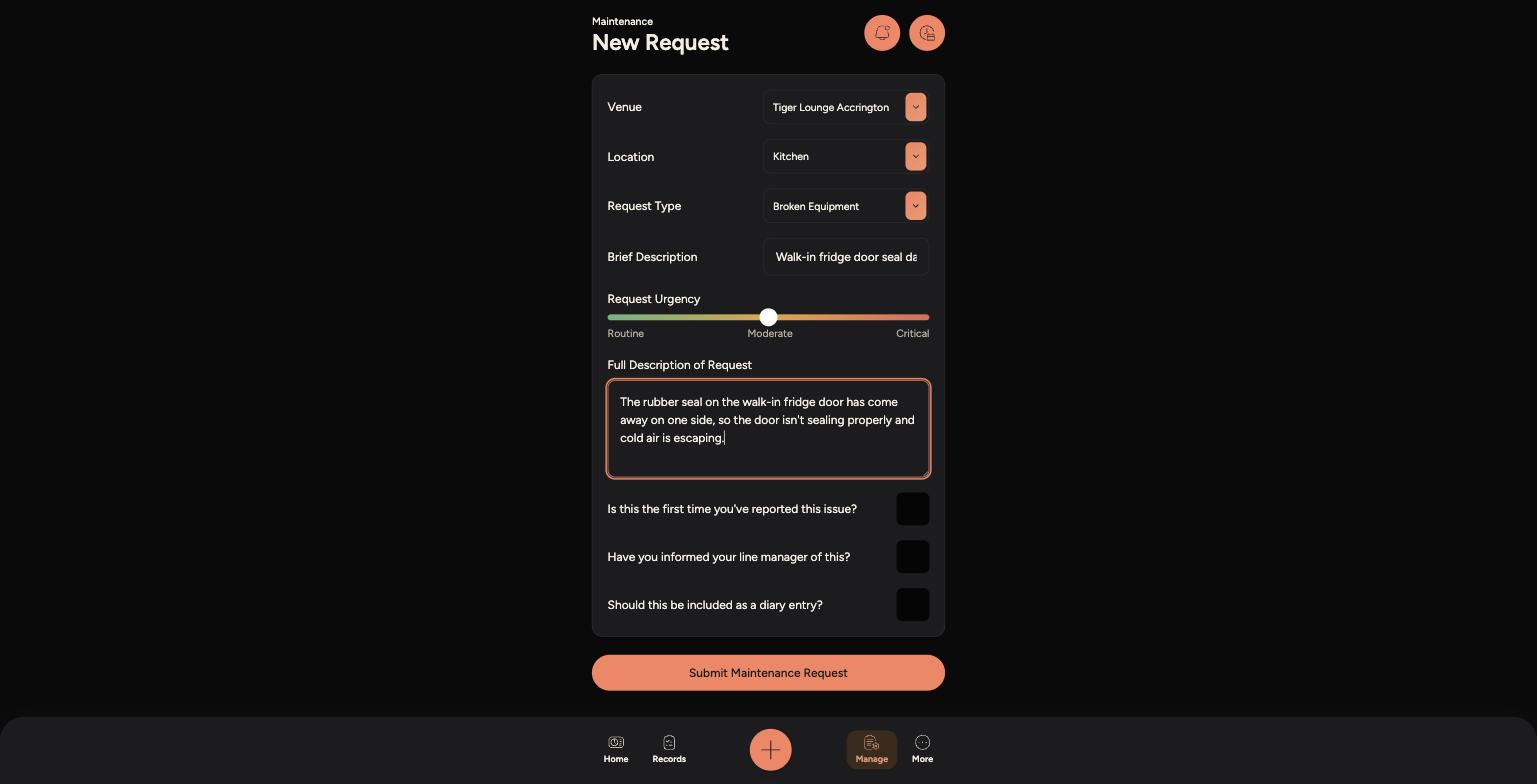
Choose the Venue, Location and Request Type that best match the issue.
-
Add a short Brief Description, then set the Request Urgency from Routine to Critical.
-
Write a Full Description of the issue, including when it started and how it's affecting service.
-
Answer the three follow-up questions, then tap Submit Maintenance Request.
A completed New Request form, ready to submit
Tips
Set the urgency honestly — Critical is for issues that stop service, like a broken fridge or a leak, not everyday wear and tear.
The more detail you add to the Full Description, the easier it is for whoever picks up the job to fix it first time.
For anything that could be a safety risk, always tell your line manager straight away as well as logging the request.