

The Weekly Rota Builder estimates each day's spend from your covers and shows labour cost as a percentage of that, so you can see if you're overstaffed or understaffed before you publish.
Steps
-
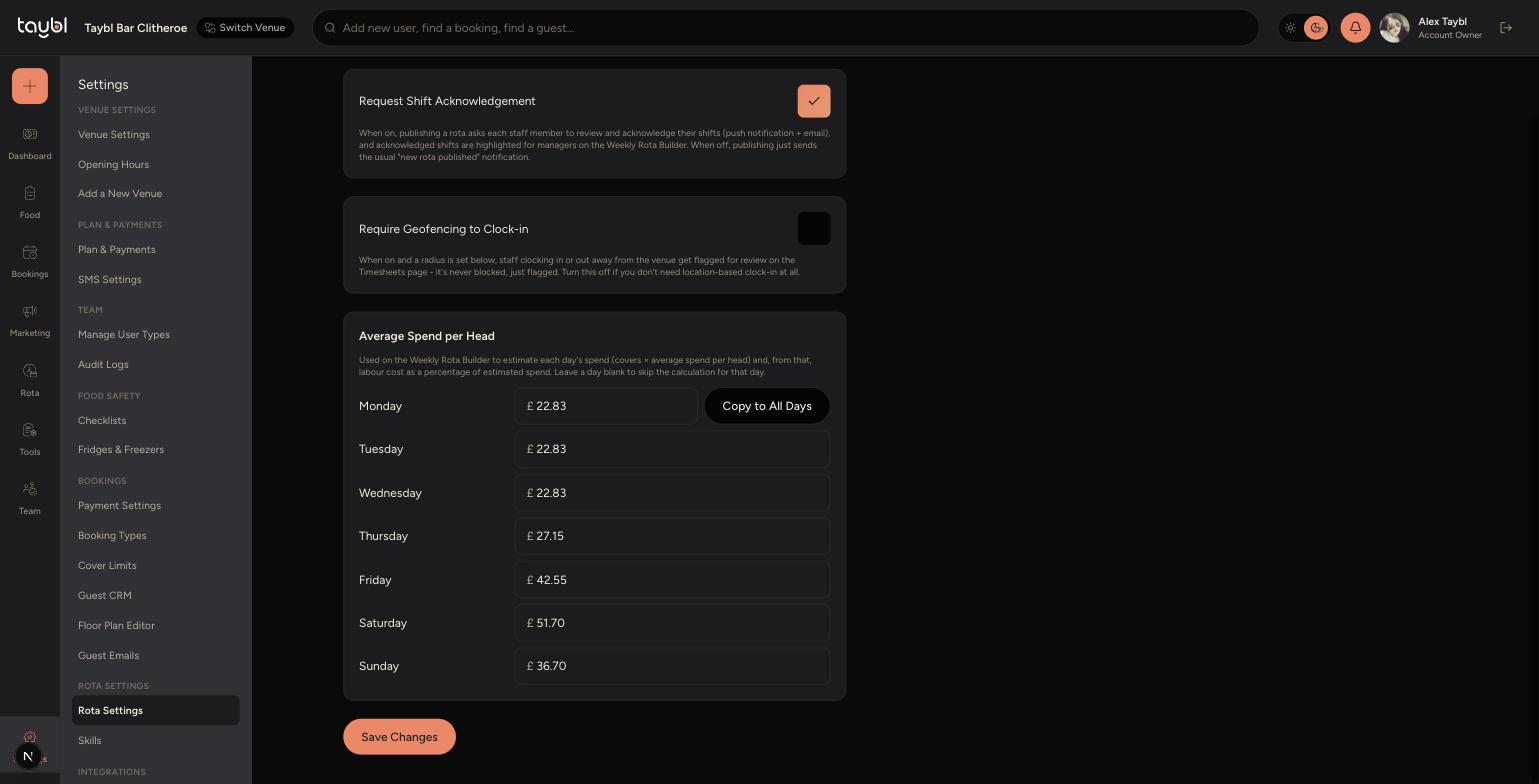
Go to Settings, then "Rota Settings" under the Rota Settings section.
-
Scroll to "Average Spend per Head" and enter an amount for each day of the week - this is what a typical covered guest spends.
-
If the amount is the same every day, enter it for Monday and tap "Copy to All Days". Otherwise set each day individually, for example higher amounts on busy weekend evenings.
-
Tap "Save Changes".
-
-
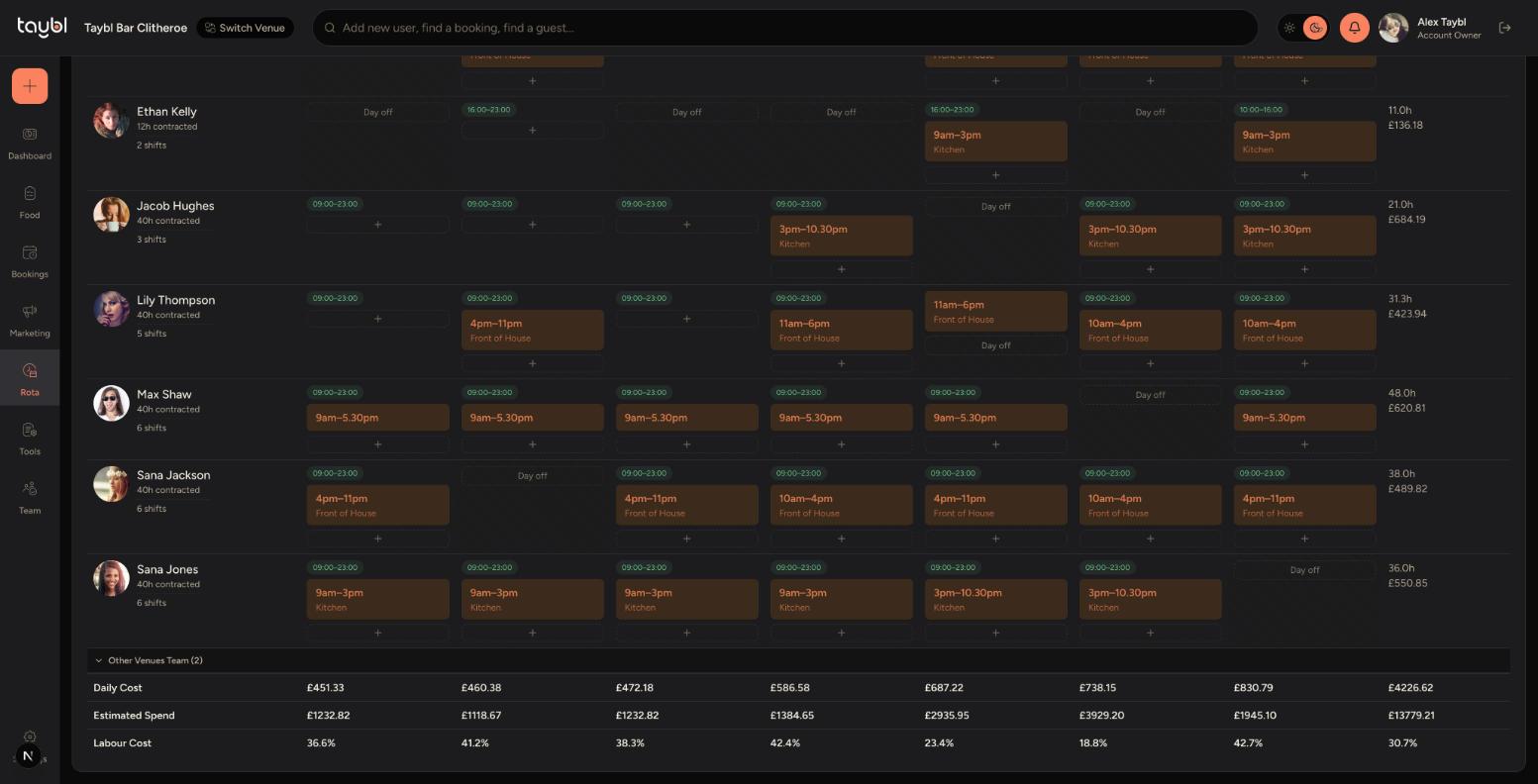
Go to Rota, then "Weekly Rota", and scroll to the bottom of the grid.
-
Daily Cost, Estimated Spend and Labour Cost are shown for each day. Estimated Spend is covers multiplied by your average spend per head, and Labour Cost is your staffing cost as a percentage of that.
Tips
Aim for a Labour Cost around 25-35% depending on your venue - much higher and you may be overstaffed for the covers you're expecting.
Leave a day's Average Spend per Head blank if you don't want the calculation to run for that day - it will be skipped instead of showing as 0%.