

The SFBB Diary is where you log day-to-day cleaning, hygiene and maintenance tasks, giving you a running record for Safer Food, Better Business inspections.
Steps
-
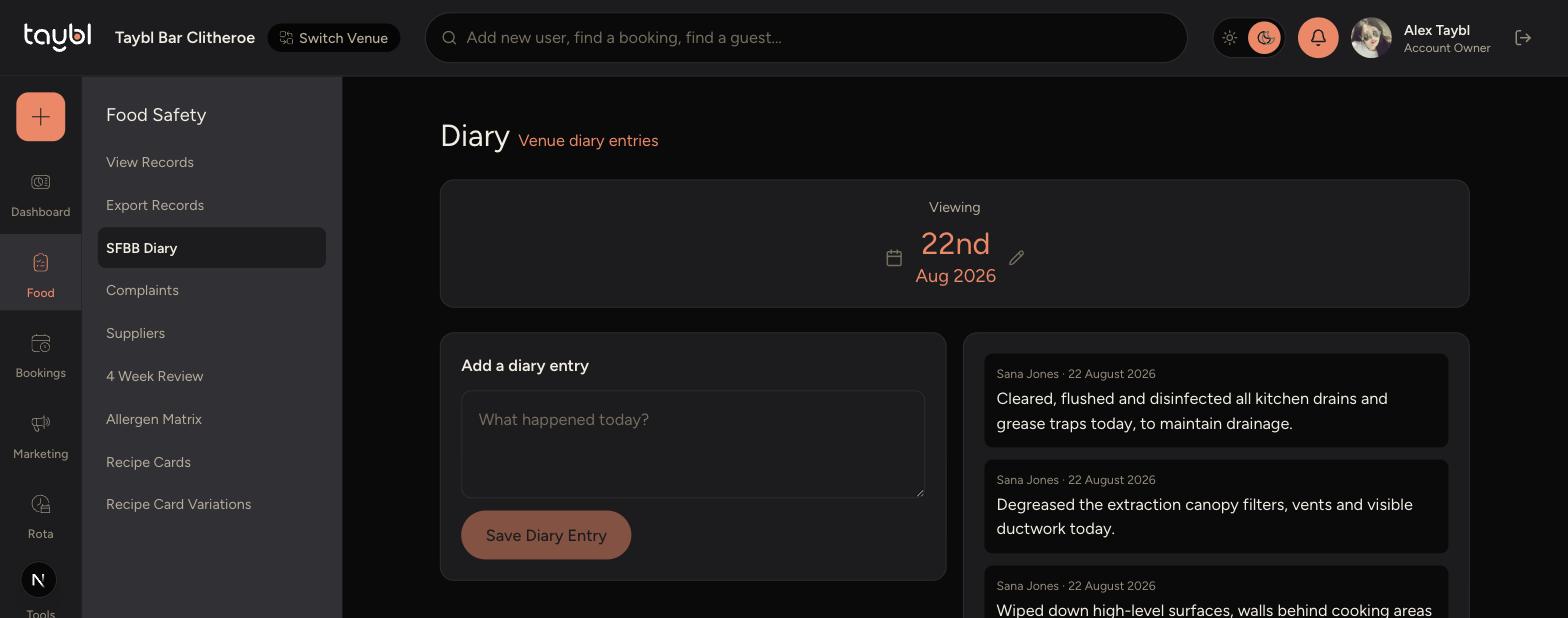
Go to Food Safety > SFBB Diary in the sidebar.
-
Use the date selector to view a specific day's diary.
-
Existing entries for that day appear on the right, showing who logged them and when.
-
To add a new entry, type what happened in the "What happened today?" box.
-
Tap Save Diary Entry to add it to the log.
-
Tips
Add diary entries as you go through the day rather than leaving them all until closing - it's easier to remember the details.
Use the date selector to check previous days if you need to review or confirm what was logged.
Every entry is timestamped and shows who logged it, so keep entries factual and specific.