

Review holiday requests from your team, check remaining balances, and approve or decline them from one place.
Steps
-
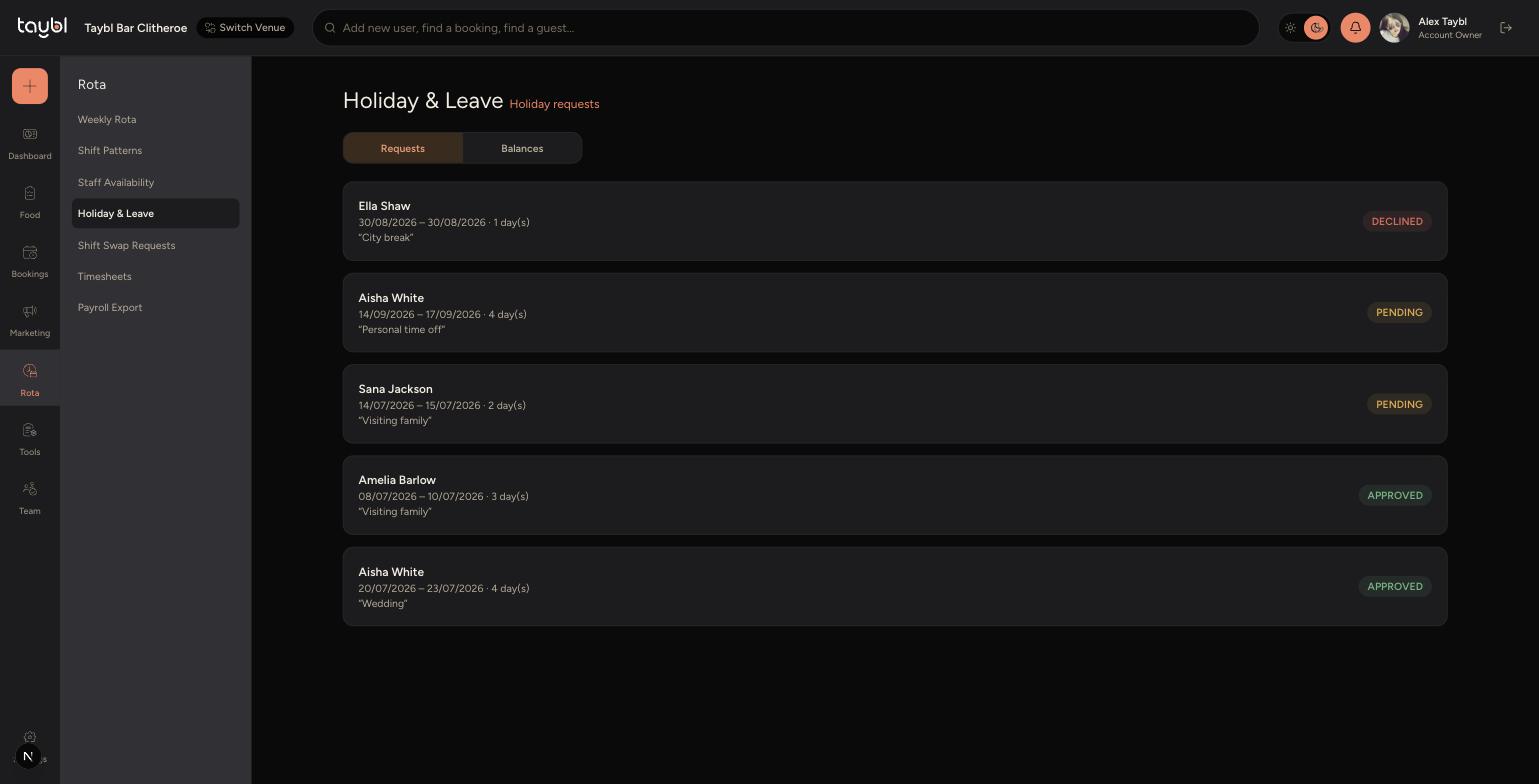
Go to Rota, then "Holiday & Leave" in the sidebar.
-
The "Requests" tab lists every holiday request, showing the dates, number of days, reason and status.
-
-
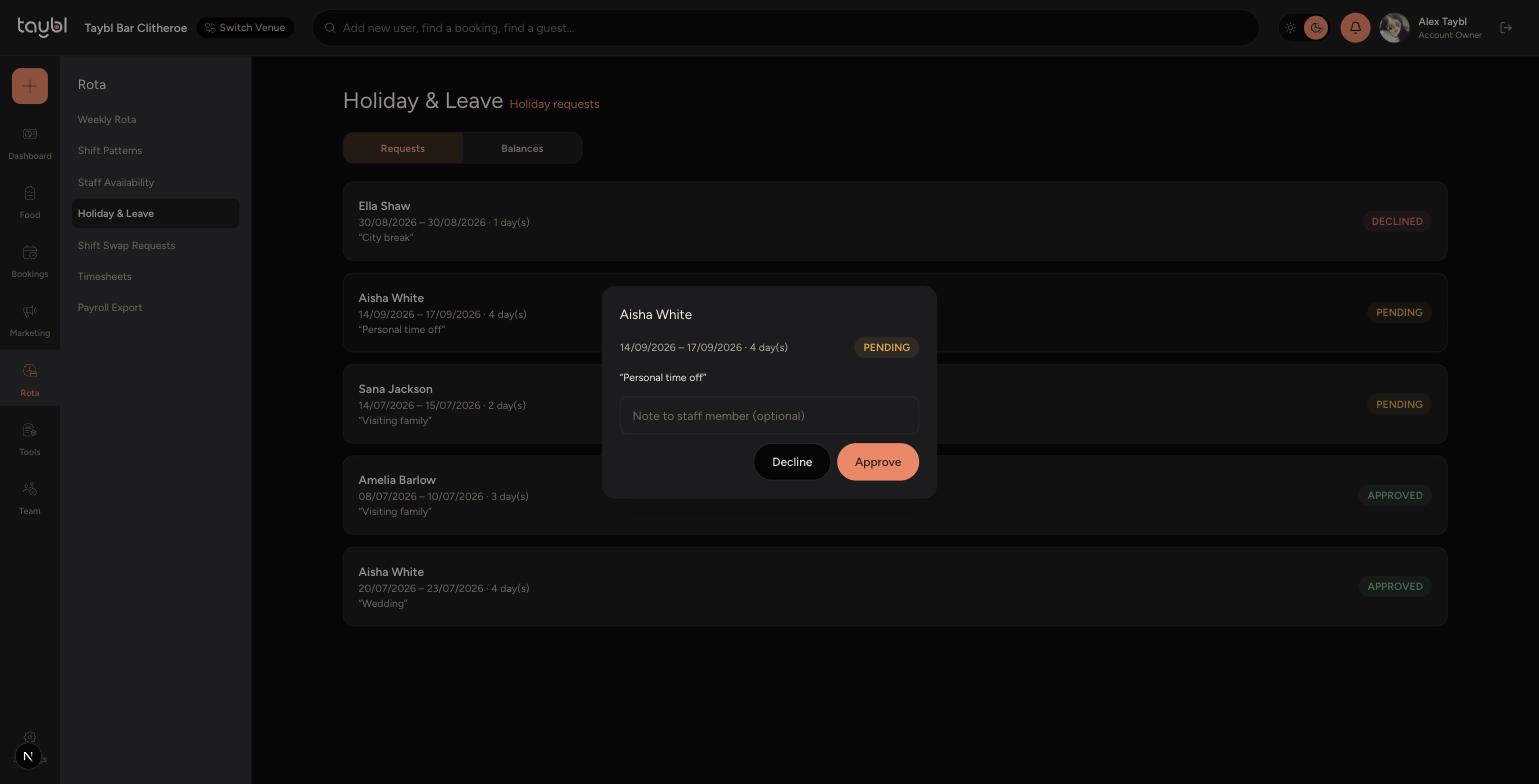
Tap a Pending request to open it.
-
Add an optional note to the staff member, then tap "Approve" or "Decline".
-
-
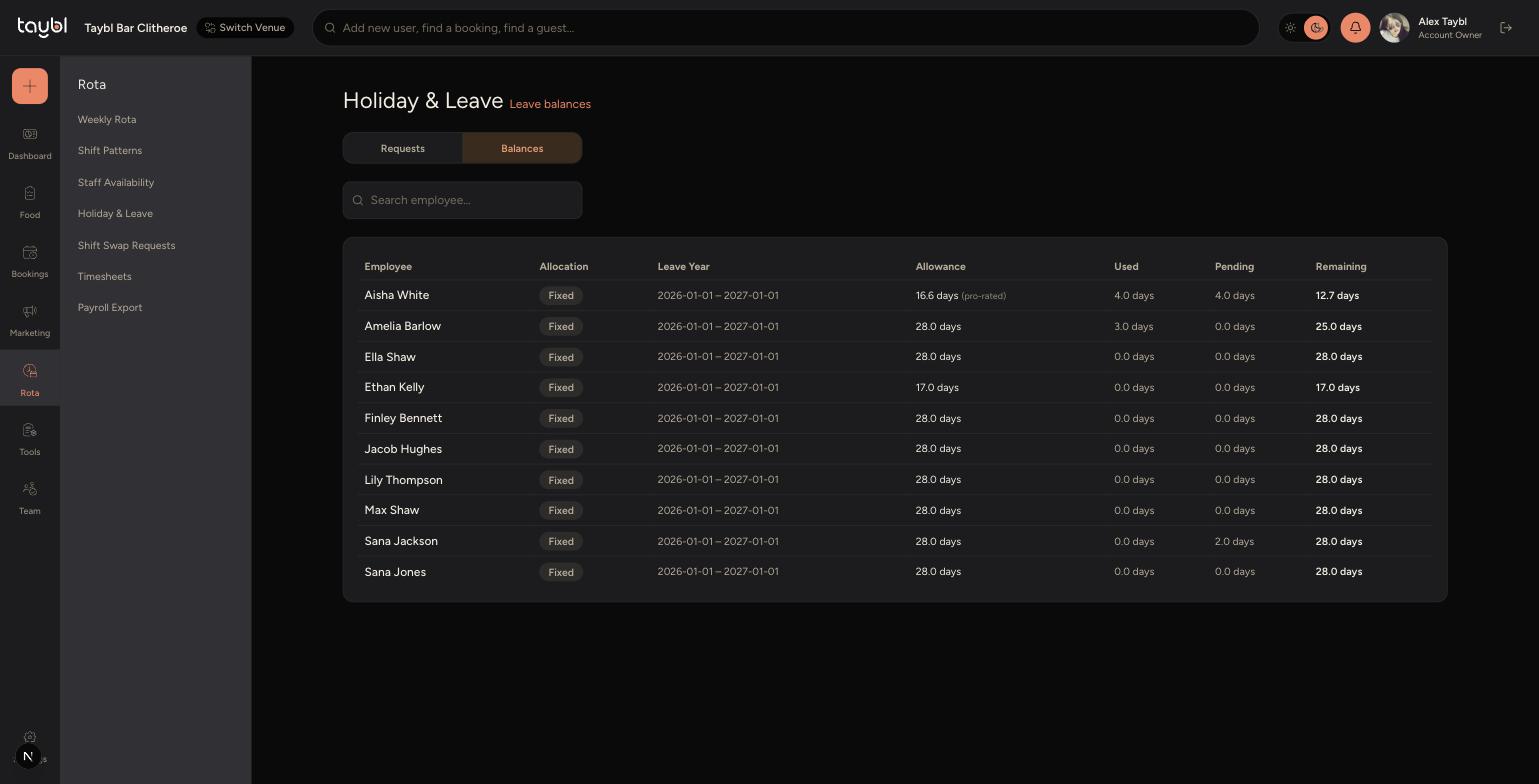
Switch to the "Balances" tab to see each team member's holiday allowance, days used, pending and remaining.
Tips
Approving a request automatically updates the staff member's rota and reduces their remaining balance, so check the rota for that period isn't left short-staffed.
Use the note field when declining a request to let the staff member know why.