

See how guests rate their visit, when reviews are shown to your Google Business Profile, and how to track a complaint through to resolution.
Steps
-
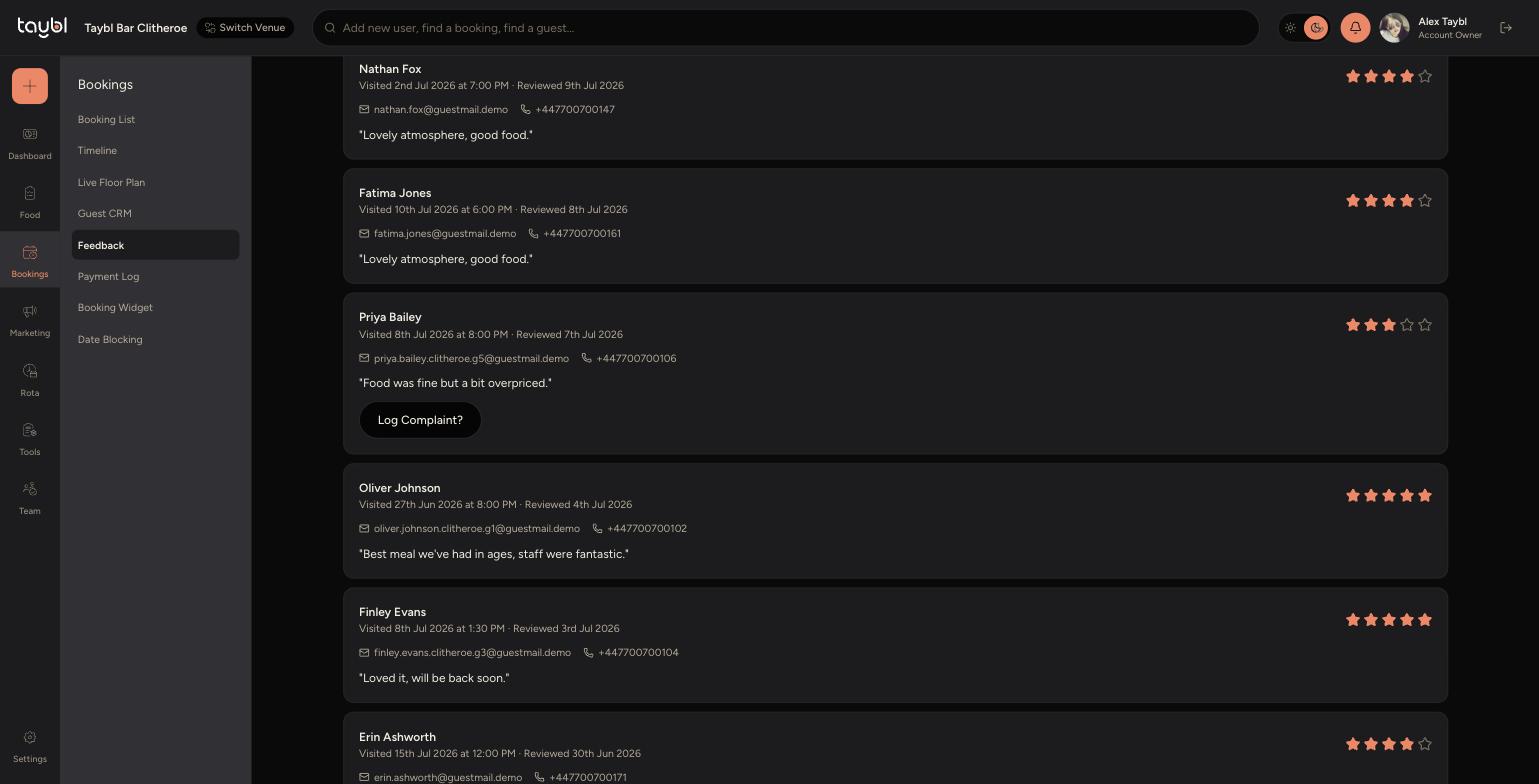
Go to Bookings, then "Feedback" to see every review guests have left, along with their rating and comments.
-
Ratings of 3 stars or below are kept private - the guest isn't asked to publish anything, but a low score is the clearest signal something needs following up.
-
Ratings of 4 or 5 stars ask the guest to publish their review to Google, turning your happiest guests into public reviews.
-
On a low-rated review you may see a "Log Complaint?" button - use this to open a complaint and track it through to resolution. Below is an example from Priya Bailey's review.
-
To set where 4-5 star reviews send guests to leave a public review, go to Settings, then "Venue Settings", and paste your venue's Google reviews link under "Google Reviews".
-
To find the link: search for your venue on Google or open its listing in Google Maps, click the star rating to open its reviews, click "Ask for reviews" on your Business Profile, then copy the link that appears and paste it in.