

The Bookings screen shows every reservation for the day, so you can see who's coming in and plan ahead.
Steps
-
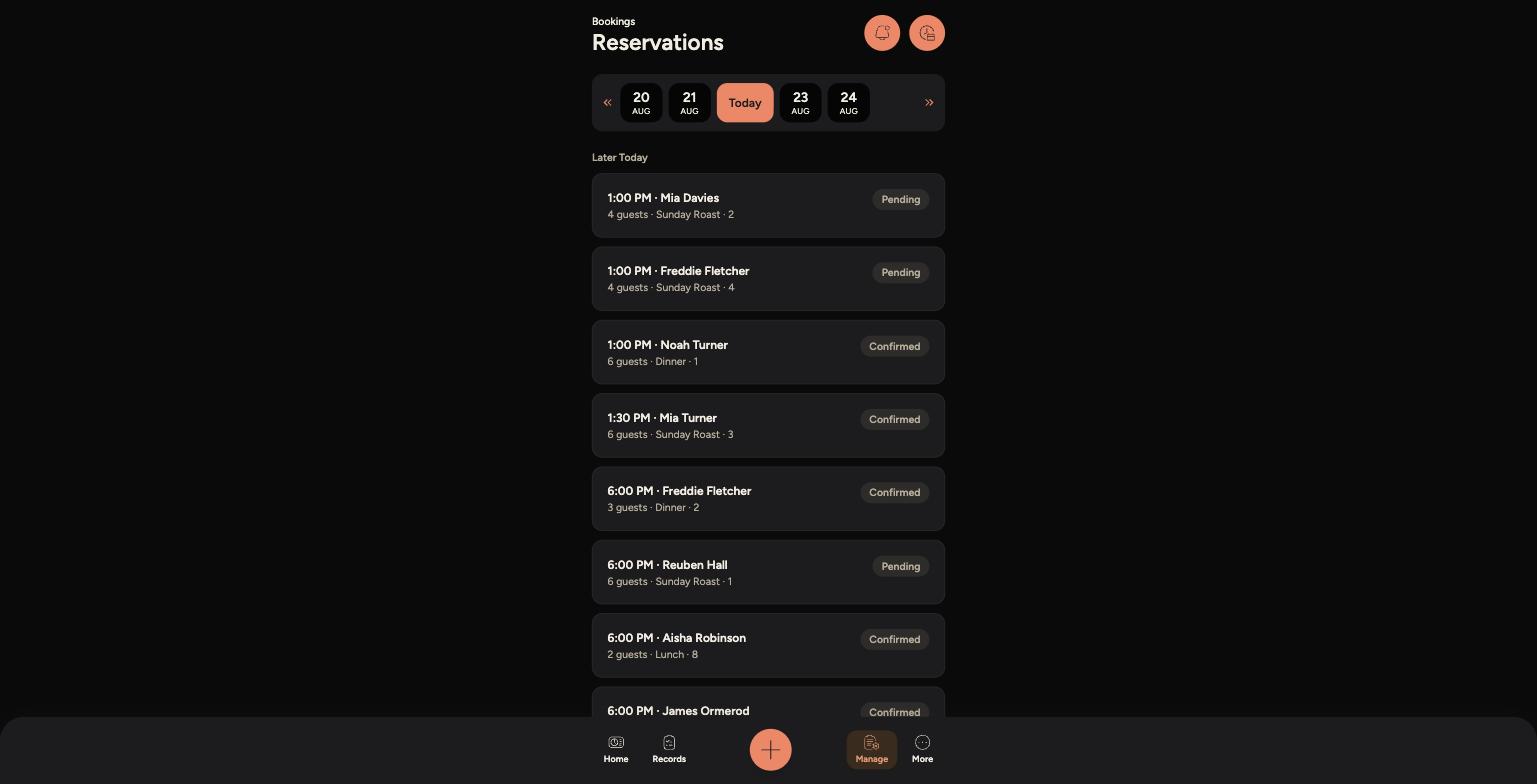
Go to Manage > Bookings > Bookings.
-
Use the date bar at the top to move between days — tap Today to jump back to the current date.
-
Each booking shows the time, guest name, guest count, meal sitting and table number, along with its status — Confirmed or Pending.
-
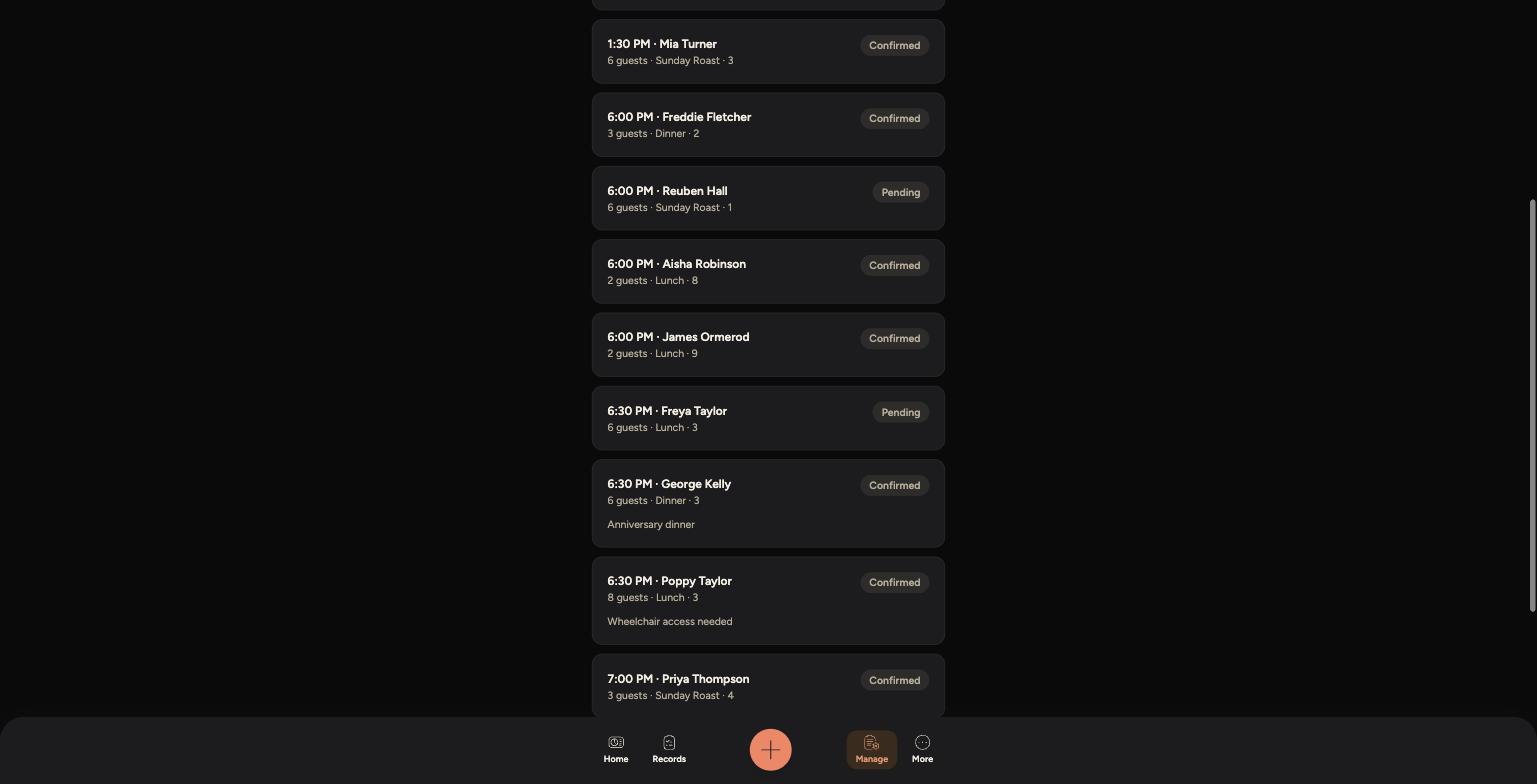
Any special requests, like dietary needs or accessibility notes, appear underneath the booking details.
Today's list of confirmed and pending reservations
Bookings with special requests or accessibility notes
Tips
Pending bookings usually come from online requests waiting for confirmation — check with a manager if you're not sure whether to treat one as confirmed.
Always check the notes on a booking before service — things like allergies, wheelchair access or special occasions can affect how a table is prepared.
This screen is read-only from the Staff App — bookings are created and edited elsewhere, so use it to check who's coming in rather than to make changes.