

See today's bookings at a glance from the Guestlist, and act on each one without leaving the list.
Steps
-
Tap "Guestlist" at the bottom of the screen.
-
-
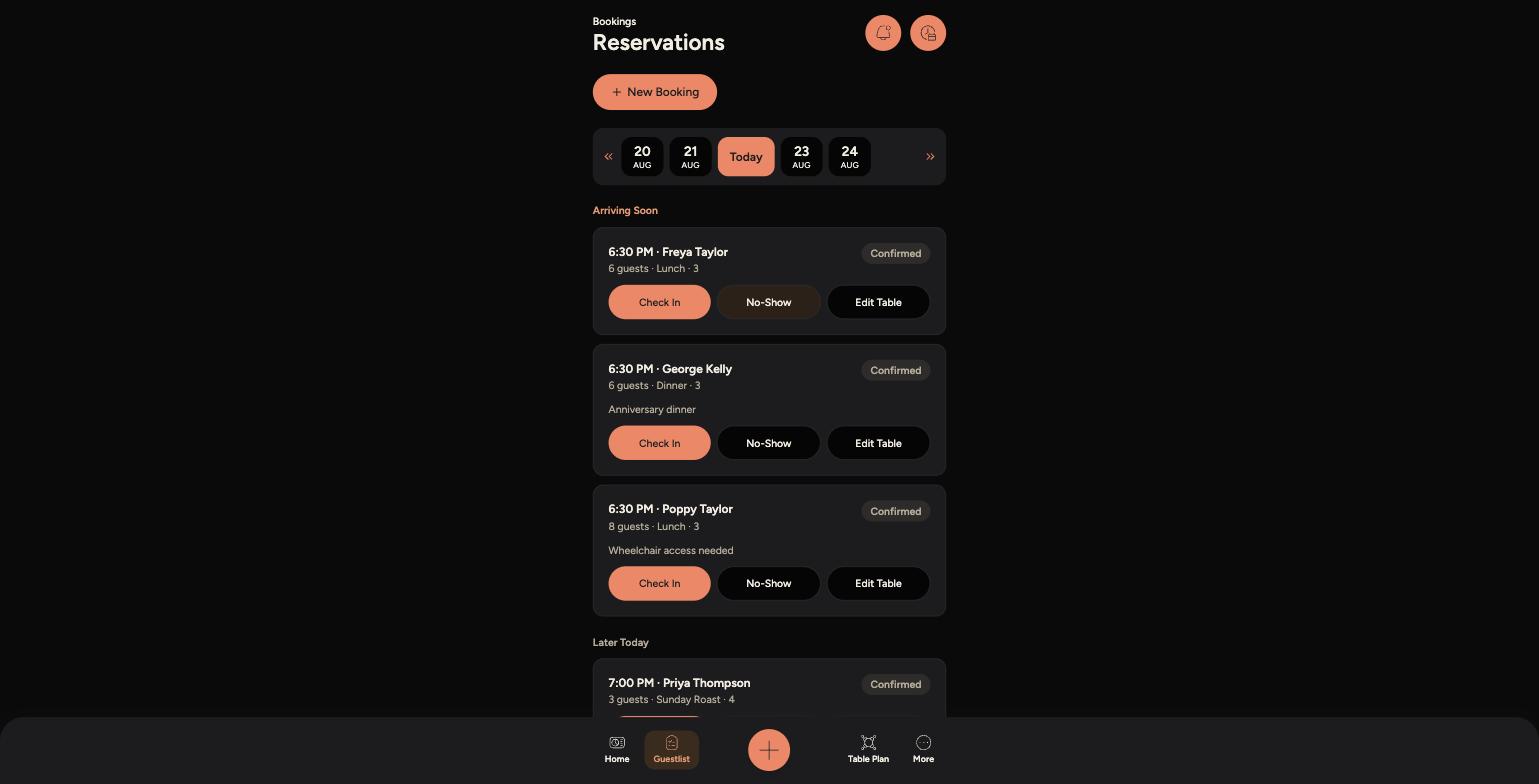
Use the date strip at the top to jump between days - today is highlighted, and you can scroll or use the arrows to move further ahead or back.
-
Bookings are grouped into sections such as "Arriving Soon" and "Later Today", so you can see who's due next.
-
Each booking shows the time, guest name, party size, sitting, table, status (such as Pending or Confirmed), and any notes like allergies or special requests.
-
Use the "Check In", "No-Show" and "Edit Table" buttons on a booking to act on it directly from the list.
Tips
The Guestlist only shows the venue you're currently switched into - use "Switch Venue" from the More menu if you need to check a different site.
Notes like allergies, wheelchair access or a special occasion are shown directly on the booking, so it's worth a quick check before the guest arrives.
Tap "New Booking" at the top of the Guestlist to add a walk-in or phone booking without leaving this screen.