

Shift patterns let you save a common set of shifts, like a standard week, so you can seed a new rota in seconds instead of building it from scratch.
Steps
-
Go to Rota, then "Shift Patterns" in the sidebar.
-
Tap "New Pattern".
-
-
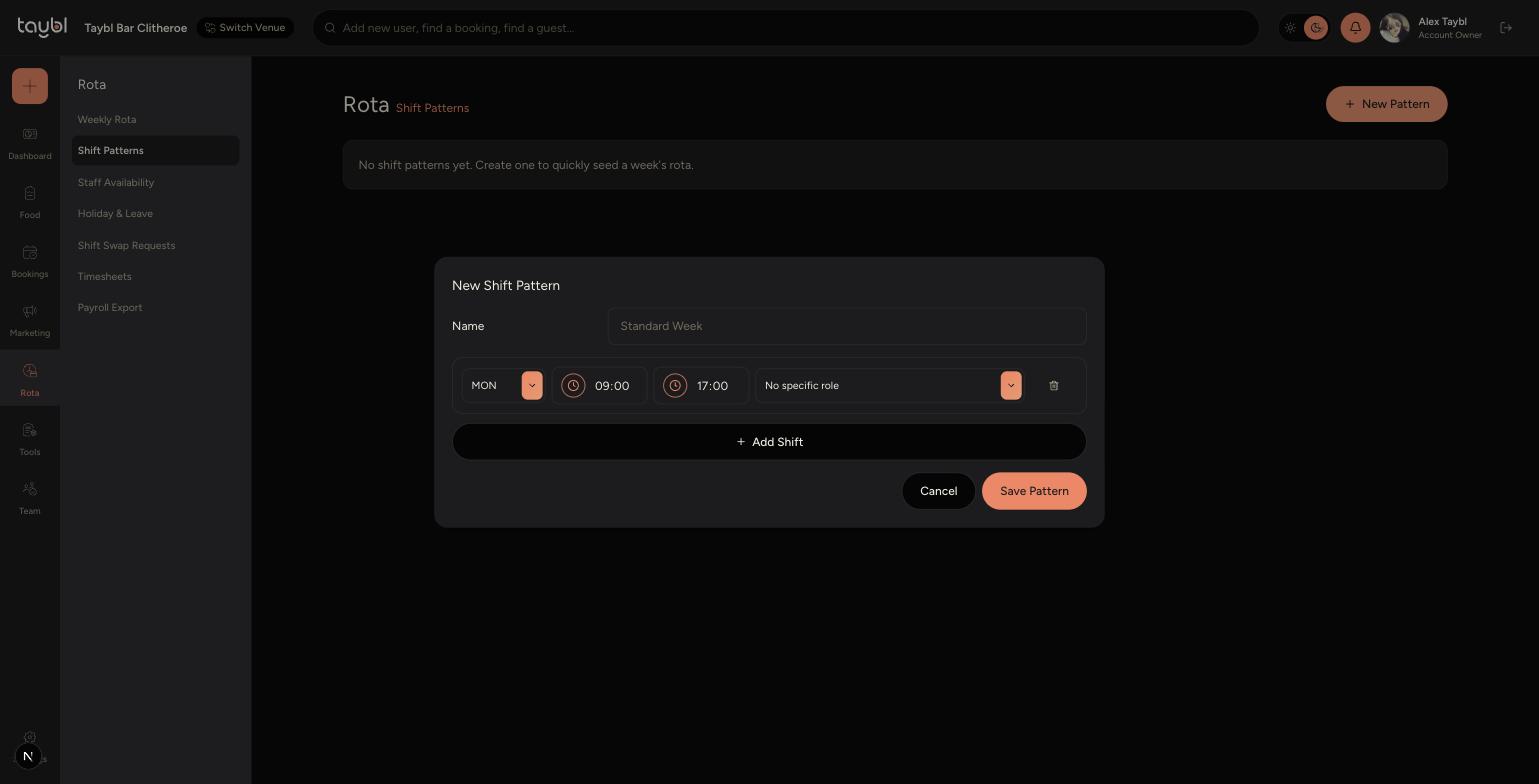
Give the pattern a name, for example "Standard Week".
-
For the first shift, choose the day, start and end time, and the role it covers.
-
Tap "Add Shift" to add another shift to the pattern, and repeat for every day and role you want to include.
-
Tap "Save Pattern" once you've added all the shifts you need.
Tips
Leave a shift's role as "No specific role" if it can be covered by anyone, rather than tying it to one particular skill.
You can create separate patterns for different situations, for example a quieter "Winter Week" alongside your usual "Standard Week".